





What MyOperator Improves for
Customer Support Teams

Two Channels. Two Workforces. One Platform.

The Channels

WhatsApp Suite

WhatsApp Business API for inbound customer queries, service requests, updates, and follow-ups.

Track templates, replies, AI handling, and agent handovers in one support timeline.

Call Suite

Inbound and outbound calls with callbacks, IVR, and virtual numbers for structured customer support.

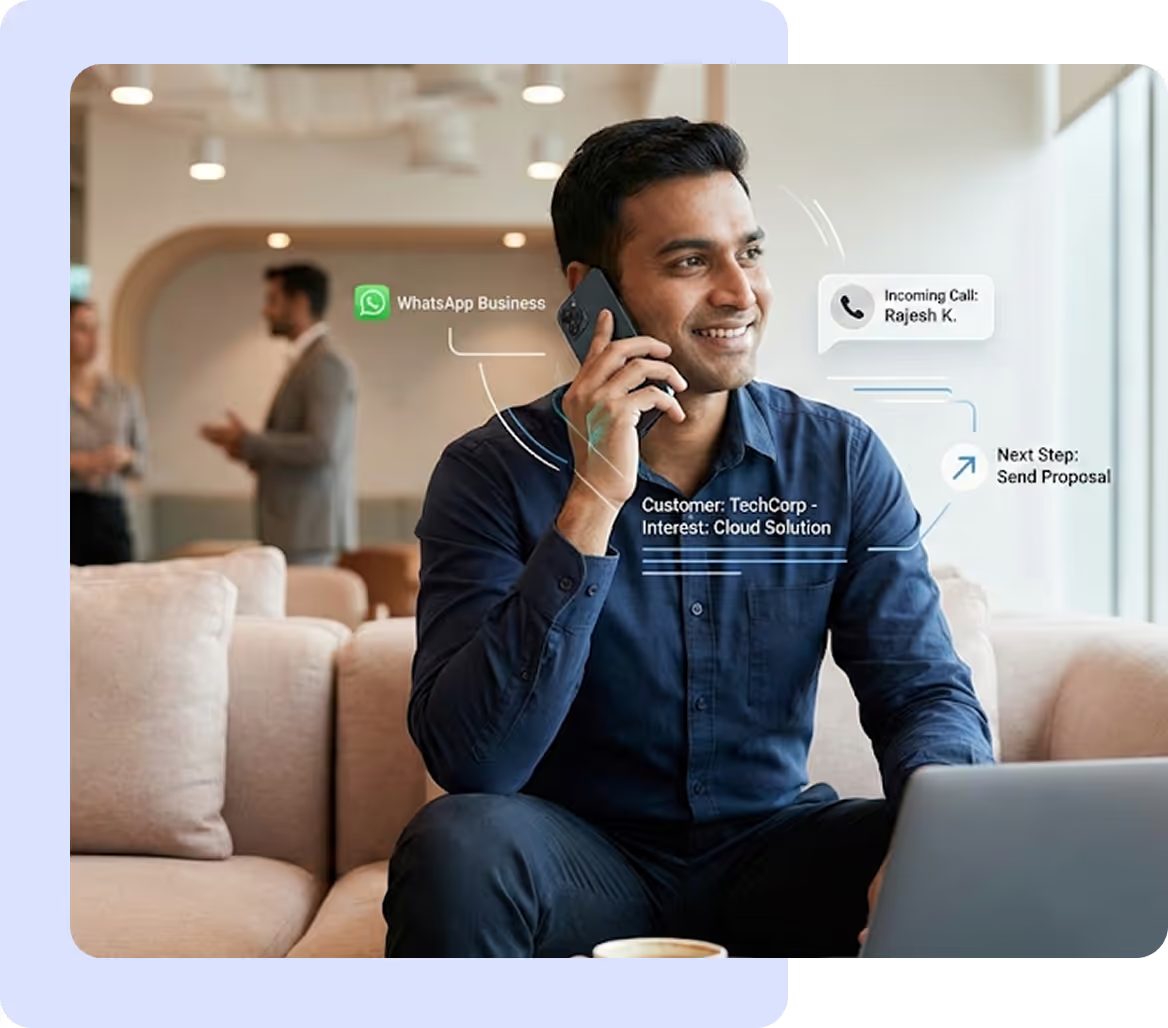
Inbound and outbound calls sync with WhatsApp context and customer support histories.

The Workforces

AI Agents

Automate repetitive workload for support teams.

Understand issues, collect request details, check status, and escalate priority cases.

Human Experts

Support agents handle complex issues, exceptions, and high-impact cases.

Complete context eliminates repeat explanations and fragmented handoffs.

How MyOperator Is Used for Customer Support

Automated First Response
AI agents acknowledge inbound customer queries instantly and capture basic issue details.
Smart Prioritisation & Escalation
Urgent or high-impact issues are routed immediately to the right support team.
Contextual Case Capture
Issue details and customer context are automatically logged without manual agent effort.
Follow-Up Automation
Callbacks, WhatsApp updates, and reminders keep cases moving and prevent stalled tickets.
Resolution Acceleration
Agents switch between Calls and WhatsApp with full interaction context to resolve issues faster.
Issue-to-Closure Efficiency
Automated retries and updates reduce the time between first contact and resolution.
Multi-Channel Support
Customers reach out via WhatsApp or Calls and switch channels without repeating themselves.
Central Support Timeline
Agents view conversation history, case notes, and AI actions in one place for informed responses.
Contextual Handovers
AI agents use existing context to assist humans and reduce unnecessary handoffs.

Core MyOperator Customer Support Capabilities

WhatsApp Business API

Manage inbound customer queries, service requests, updates, templates, and support follow-ups.

Call Handling Suite

Automate callbacks, missed-call recovery, IVR flows, and structured support calls.

AI Request Classification

Understand issues, capture request details, and escalate priority cases automatically.

Case Follow-Up Engine

Send status updates, reminders, and callbacks triggered by inactivity or SLA thresholds.

Routing & Escalations

Route cases by issue type, urgency, customer segment, or support tier.

Analytics & Reporting

Track response and resolution times, repeat queries, and support performance across channels.

CRM Integrations

Sync case details, customer context, notes, and resolution status automatically.

Compliance & Security

Role-based access, data masking, consent controls, and audit logs for regulated support environments.

What Businesses Say
About MyOperator

Built On Trust.
Backed By The Best.

MyOperator's industry recognition badges and customer ratings
MyOperator's industry recognition badges and customer ratingsMyOperator's industry recognition badges and customer ratingsMyOperator's industry recognition badges and customer ratingsMyOperator's industry recognition badges and customer ratings

Frequently Asked Questions

How does MyOperator improve daily customer support operations?
MyOperator centralises all calls, WhatsApp messages and follow ups so agents work with full context. Managers can clearly see resolved cases, pending issues and agent activity.
This helps maintain consistent service quality even during high volume periods.
How does AI make customer support more efficient?
AI routes queries to the right agent, identifies recurring issues and sends reminders for unresolved cases. This reduces manual workload and improves response speed.
Managers also receive insights into trends and performance for better planning.
Can MyOperator support teams across shifts or locations?
Yes. All communication is recorded and accessible from one dashboard. Agents can review customer history at any time, enabling smooth handovers.
Managers retain full visibility across shifts and branches.
Does MyOperator integrate with CRM or ticketing systems?
Yes. Integrations with Zoho, Salesforce, HubSpot and custom tools sync customer data, conversation history and case updates automatically.
This ensures teams always work with accurate information.
Can MyOperator reduce response time for support queries?
Yes. AI based routing connects customers to available agents faster. WhatsApp automation provides immediate acknowledgements.
This reduces wait times and improves the overall support experience.
Can managers track support performance easily?
Yes. Managers can view call volumes, missed calls, follow ups, resolution times and agent activity in real time.
This helps identify bottlenecks and maintain service standards.
Is MyOperator effective for WhatsApp based support?
Yes. WhatsApp queries are handled within the same system. Automation manages routine updates while agents focus on complex issues.
This improves efficiency during high message volumes.
How secure is customer data?
All customer communication is encrypted and protected with role based access controls. Only authorised users can view logs or recordings.
This ensures sensitive data remains secure.
Can support agents work from mobile devices?
Yes. Agents can manage calls, update notes and track cases from mobile or browser access.
All activity syncs back to the central dashboard.

How quickly can support teams get started?
Most teams can go live within a few hours after basic setup. Agents can start handling calls and messages the same day.

Built to assign, track and resolve
without gaps.