
A Complete Guide to Using WhatsApp for Customer Service
Use WhatsApp to improve your customer service. Learn to set up your account, automate replies, & follow best practices for fast, professional real-time support.

Updated On :
February 11, 2026

Real-time conversations are crucial to answer a customer’s question as soon as possible in order to maintain customer satisfaction, save time, manage reputation, retain customers, and gain a competitive advantage. Customers expect prompt and efficient solutions to their problems. By responding quickly to their questions, you can enhance their satisfaction and increase the likelihood of their continued brand loyalty. Swift responses not only save the customer time but also optimize the efficiency of your support team.
Furthermore, providing timely solutions contributes to higher customer retention rates, as satisfied customers are more likely to remain loyal and continue making purchases. In addition to customer satisfaction, real-time conversations offer distinct advantages over competitors. By demonstrating your company’s commitment to exceptional customer service and responsiveness, you can gain a competitive edge. Maintaining a swift and immediate response to customer inquiries also helps to uphold the positive reputation of your company. Moreover, a positive customer experience often leads to word-of-mouth marketing. Satisfied customers are more inclined to recommend your company to others, expanding your customer base and generating valuable referrals.
Why Is WhatsApp the Best Option for Customer Service?
With over two billion active users, WhatsApp is one of the most popular messaging services in the world. This indicates that a large number of customers are accustomed to using WhatsApp and feel at ease doing so for customer service.
Customers can get prompt answers to their questions thanks to the instant messaging app WhatsApp. Customers won’t have to wait too long to get answers to their problems thanks to this. Text, image, video, and audio messages are all supported by WhatsApp as multimodal messages. This enables effective communication between the customer and support staff, which simplifies the resolution of challenging problems.
WhatsApp has a feature called end-to-end encryption that guarantees the confidentiality and security of all messages. Because of this, clients can feel at ease sharing private information with the support team. Customers frequently choose WhatsApp for customer service due to its availability and convenience. By using WhatsApp for customer service and catering to customer preferences, businesses can better satisfy their clients.
How to Set Up WhatsApp Business for Customer Service

Let's have a look at the steps.
Step 1: Create a WhatsApp Business account
One of the essential requirements for setting up a WhatsApp business account is that the client’s website must be operational. Particularly in the case of educational institutions. A Meta Business Manager account that has been verified.
This is the second essential requirement. The third essential requirement is the phone number you intend to use to access WhatsApp. Verify that this number is capable of receiving an OTP via voice call or SMS and that it is not already connected to any WhatsApp accounts. If the phone number is on the WhatsApp or WhatsApp Business app, the account should be deleted. Under Settings > Account, choose Delete my account. Do not simply uninstall the account; ensure that it is deleted.
Step 2: Add your business information
Include information about your business, including your name, profile picture, and description. Make sure that your profile’s picture and description accurately reflect your business and brand.
Step 3: Customize greeting and away messages
To make customers feel welcome and let them know when to expect a response, personalize your greeting and away messages.
Step 4: Configure quick replies and automated messages
Create quick replies for frequently asked questions to save time. Using quick replies, you can send customers pre-written messages in a hurry. To quickly respond to customer inquiries, create automated messages. Using keywords or phrases, automated messages can be configured to send out basic information about your business.
Using WhatsApp for Customer Service
Respond to customer inquiries and complaints with agents or AI bots
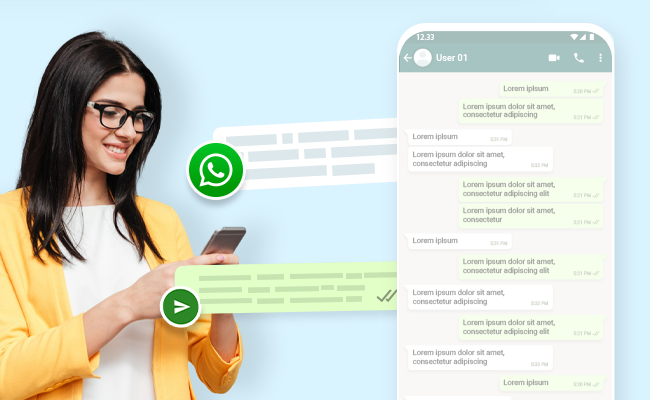
WhatsApp is an efficient platform for addressing customer questions and complaints, offering the flexibility to utilize chatbots or human agents. Some of the key points to consider are:
- Human customer service representatives can respond personally and empathetically to customer inquiries, understanding their concerns and offering tailored solutions or workarounds. This personalized approach contributes to higher levels of customer satisfaction, loyalty, and retention.
- Implementing WhatsApp chatbots enables businesses to promptly and automatically handle frequently asked questions, freeing up human agents to focus on more complex inquiries. This division of tasks ensures efficient handling of customer interactions.
- The availability of WhatsApp customer service 24/7 allows for immediate assistance even beyond regular business hours. This feature reduces customer waiting time and enhances overall customer happiness.
- A hybrid approach, involving the initial interaction with a chatbot followed by a seamless transfer to a human agent, can be employed. This approach ensures a smooth customer experience while maximizing the effectiveness of the support team.
By leveraging the capabilities of WhatsApp, businesses can effectively manage customer queries, optimize response times, and create a positive and satisfactory customer experience.
Send personalized messages and promotions.
WhatsApp makes it simple to send personalized messages and promotions to customers. Businesses can use WhatsApp to send clients personalized messages based on the clients’ preferences, actions, and previous purchases. This might increase patron engagement, loyalty, and trust.
Handle multiple conversations at once

WhatsApp is an effective tool for managing multiple conversations simultaneously, making it valuable for providing efficient customer service. The primary considerations are as follows: The WhatsApp Business API allows businesses to handle numerous conversations from a single interface, streamlining the management of client inquiries and complaints. Automation, message routing, and chat tracking tools provided by the API facilitate the handling of a high volume of customer interactions by support teams.
To enhance tracking and prioritization, businesses can label and tag conversations on WhatsApp based on query type, urgency, or status. Quick responses, which are pre-written messages, can be customized and sent with just one click, saving time and effort for the support staff. WhatsApp enables effective communication and teamwork among support teams, allowing conversations to be assigned or transferred to specific team members based on their expertise or workload. Chatbots, computer programs designed to handle multiple conversations simultaneously, can swiftly and automatically address common queries, allowing human agents to focus on more complex issues.
These tools collectively assist businesses in efficiently managing a large volume of customer inquiries and complaints, leading to increased customer satisfaction and loyalty. Businesses may speed up existing customer support processes, manage a significant number of inquiries, and improve overall customer happiness and loyalty by utilizing WhatsApp’s features.
Manage customer data and privacy
App prioritizes the security and privacy of its users, including businesses utilizing the platform for customer service. WhatsApp employs end-to-end encryption to safeguard the security and privacy of messages and calls. This means that only the sender and recipient can access the contents of the messages, making it difficult for external parties to intercept or access them.
The platform complies with privacy regulations such as the General Data Protection Regulation (GDPR) and the California Consumer Privacy Act (CCPA). You can learn more at the official GDPR and CCPA websites. It ensures that customer data is handled and stored securely, and customers maintain control over their own data. WhatsApp requires users to opt in before receiving messages from businesses, ensuring that customers have control over the messages they receive. Businesses are prohibited from sending messages to customers who have not provided their consent.
Prior consent is essential for businesses to use customer data for marketing or other purposes. WhatsApp provides tools for businesses to manage customer preferences and secure their consent, allowing for transparent and accountable data practices. Businesses can delete customer data from WhatsApp servers once it is no longer necessary, ensuring that customer data is only utilized for its intended purpose and not stored indefinitely. WhatsApp protects user information and guarantees that companies using the platform for customer service respect user preferences and uphold data privacy by complying with strict security measures and privacy regulations.
Best Practices For WhatsApp Customer Service
When using WhatsApp for customer service, it’s critical to follow best practices to ensure that customers receive prompt, knowledgeable responses.
Be prompt and professional in your responses.

When using WhatsApp for customer service, it’s important to respond quickly and professionally. People who use WhatsApp and other messaging services expect timely replies. It’s crucial to address customer questions and issues as promptly as possible. By setting clear expectations for response times, you can effectively manage customer expectations. Always remember to maintain a courteous and professional tone, using proper grammar and avoiding slang in your communication.
Personalization plays a significant role in improving customer engagement and trust on WhatsApp. Take advantage of customer data to personalize your messages and make them more relevant to each recipient. By tailoring your communication, you can create a stronger connection between your brand and the customer. This approach shows that you value their individual needs and preferences, resulting in increased customer engagement and trust.
To provide excellent customer service through WhatsApp, ensure your support team receives proper training. Equip them with the necessary materials and tools to effectively handle customer inquiries and resolve issues. By empowering your support team, you enable them to provide exceptional customer service. This, in turn, leads to higher customer satisfaction and loyalty. Make sure your support team is well-prepared to serve customers on WhatsApp by providing the training and resources they need.
Avoid spamming and over-messaging
While using WhatsApp for customer service, it’s crucial to follow best practices to prevent spamming and excessive messaging. Always ensure that your customers have given their consent to receive messages from your business. You can obtain consent through opt-in messaging or by clearly stating the types and frequency of messages they can expect from you.
By sending valuable and relevant messages, you can increase customer engagement. Avoid sending group chats or unsolicited messages without consent, as customers may report or block your business for spamming. Maintain a mindful approach to how often you communicate with your customers. Avoid sending inappropriate or excessively frequent messages, especially during inappropriate times like late at night. Respecting your customers’ preferences is essential. Allow them to choose the frequency at which they receive messages from your business. This way, you give them control over their messaging experience, fostering a positive relationship with your brand.
You can make sure that your WhatsApp customer support interactions are respectful and successful by following these best practices. The key to preventing spamming and over-messaging is getting clients’ permission, providing them with useful information, and respecting their choices for frequency. Make an effort to include educational, distinctive, and pertinent content in your messages. By doing this, you not only avoid any potential problems with customers reporting or blocking your company, but you also strengthen your relationship with your audience by showing them that you appreciate and trust them.
Be transparent about your business policies and procedures.
It’s essential to adhere to established standards to maintain transparency while utilizing WhatsApp for customer service. Make sure to provide a clear and straightforward explanation of the policies and practices of your company. This includes details about guarantees, exchanges, and shipping and delivery. Consider using standard messages to preserve consistency and transparency.
Confusion is lessened, and client pleasure is increased. Additionally, make it simple for clients to locate your contact information, such as phone numbers, email addresses, and physical addresses. They will be able to simply get in touch with you if they have any queries or worries. Transparency is essential, so accurately describe your company’s policies and practices. That involves dealing with crucial issues like warranties, return policies, and delivery options. Use standardized communications to maintain consistency and openness.
This lessens misunderstanding and improves client satisfaction. Also, don’t forget to include your contact information. Share your contact information, including your phone number, email, and physical address. Customers are more likely to contact you with queries or problems if they are able to locate you easily.
Offer personalized and proactive customer service.e
When using WhatsApp for customer service, you can improve the customer experience and encourage customer loyalty by providing individualized and proactive customer service. Client inquiries and complaints should be responded to right away. Customers should receive real-time assistance, and you should make every effort to address their issues as quickly as you can. Proactively foresee customer needs and offer remedies before they ask.
This could involve providing relevant products or services based on previous purchases or providing relevant information before inquiries from customers. Make your communications more tailored and specific by using customer information. Customers should receive personalized recommendations based on their prior interactions and purchases, and they should be addressed by name.
WhatsApp Business App vs. Business API
Key Metrics to Track for WhatsApp Customer Service
To measure the effectiveness of your WhatsApp support channel, you must track the right key performance indicators (KPIs). Focus on these core metrics:
- First Response Time (FRT): How quickly your team responds to a new customer inquiry
- Average Resolution Time (ART): The average time taken to completely resolve a customer's issue from start to finish
- Customer Satisfaction (CSAT) Score: A direct measure of customer happiness, usually collected via a post-interaction survey
- Conversation Volume: The total number of inquiries handled over a specific period
- Bot vs. Human Handoff Rate: The percentage of conversations that an AI bot successfully resolves versus those escalated to a human agent
Quick Reply Templates for Your Support Team
Empower your team with ready-to-use templates to handle common inquiries faster. Here are a few examples to get you started:
- Greeting: "Hello! Thank you for contacting [Your Company]. How can we help you today?"
- Status Update: "Just a quick update on your ticket #[Ticket Number]. Our team is currently investigating the issues, and we will get back to you within [Timeframe]."
- Troubleshooting Step: "Could you please try [Action, e.g., clearing your cache and restarting the app]? Let me know if that resolves the issue."
- Escalation: "Thank you for the information. I am now transferring you to a senior support specialist who can better assist you with this matter."
Feedback Request: "We're glad we could help! On a scale of 1-5, how would you rate your support experience with us today?"
Join for the blogs and insights

.avif)



.webp)


