
How to Send OTP via WhatsApp: A Complete Guide
Send WhatsApp OTP for faster, secure user verification. Learn setup with MyOperator, SMS vs WhatsApp comparison, and best verification practices.

Updated On :
February 11, 2026

Even tech giants aren’t immune to security flaws. According to CommonRisk, Twitter once lost nearly $60 million a year after 390 foreign companies exploited its SMS-based 2FA system, a clear reminder of how vulnerable and costly traditional OTPs can be.
If you want to give your customers a safer, verified, and more reliable one-time password experience, there’s only one smart choice: WhatsApp OTP.
WhatsApp OTP sends one-time verification codes directly through WhatsApp, offering faster delivery, end-to-end encryption, and zero risk of SMS fraud. In an era of increasing digital scams, securing logins, signups, and transactions is non-negotiable, and WhatsApp makes it effortless.
With MyOperator, you can enable WhatsApp OTPs in just a few steps: set up a WhatsApp Business Account, register a DID number, integrate with MyOperator, create an approved OTP template, trigger OTPs via API or flows, and monitor delivery in real time.
This guide will walk you through everything you need to know, from benefits and compliance to step-by-step setup, to make your authentication process smarter, safer, and future-ready.
What Is a WhatsApp OTP?
A WhatsApp OTP is a one-time passcode delivered via the WhatsApp Business Platform to verify a user's identity during sign-up, login, or transactions. It offers higher deliverability, rich templates, end-to-end encryption, and a better user experience than traditional SMS when users have opted in to receive messages.
WhatsApp OTP: Benefits And Real-Life Use Cases
Let’s look at the top real-life use cases and key benefits of using a WhatsApp OTP.
Why use WhatsApp for OTP delivery? Key benefits
- Enhanced Security: With end-to-end encryption, WhatsApp messages are inherently more secure than standard SMS, protecting codes from interception.
- Higher Deliverability & Read Rates: WhatsApp messages are delivered over the internet, bypassing unreliable carrier networks. Plus, with read receipts, you can confirm if a user has seen the OTP.
- Improved User Experience: Send OTPs within the same app your customers use daily. You can use rich media templates to include your brand logo and clear instructions, building trust.
- Cost-Effective: For businesses with global users, WhatsApp OTP can be more affordable than international SMS, especially when sending in bulk.
- Faster Delivery: Bypassing potential telecom network congestion means OTPs are often delivered almost instantly, reducing user wait times and friction
Common Use Cases for WhatsApp OTP
1. Quick & easy sign-ups
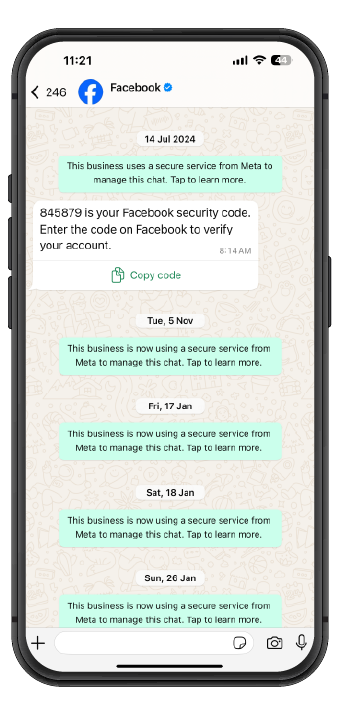
Send OTPs via WhatsApp to verify users instantly during registration, reducing drop-offs and boosting conversions.
2. Hassle-free password resets
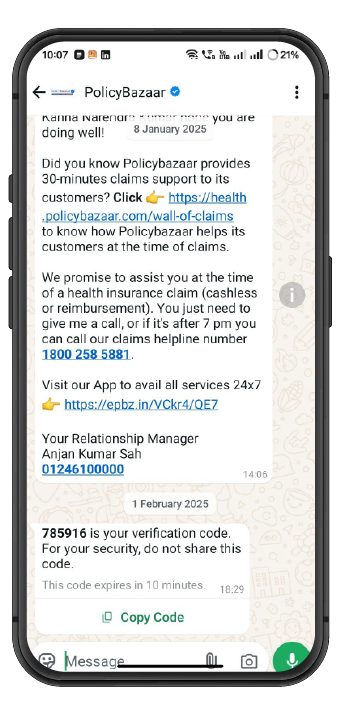
Forgot your password? Get an OTP on WhatsApp and reset it in seconds. No waiting, no stress.
3. Smooth appointment confirmations
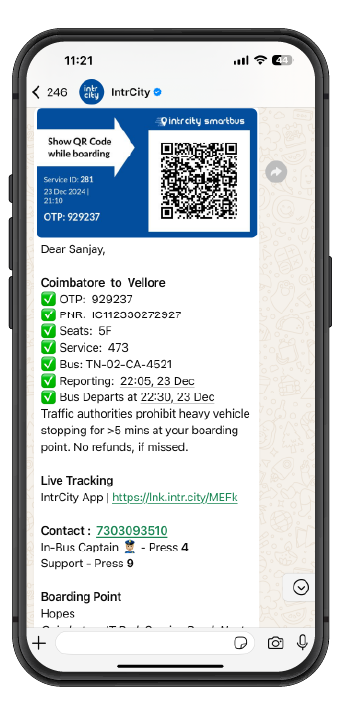
Clinics, salons, and service providers use WhatsApp OTPs to confirm bookings securely and reduce no-shows.
4. Secure subscription sign-ups
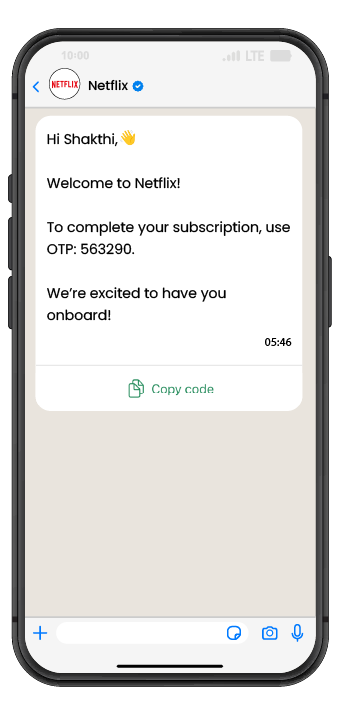
Verify new subscriptions with WhatsApp OTPs to ensure users genuinely opt-in, avoiding spam.
5. Safe & reliable deliveries
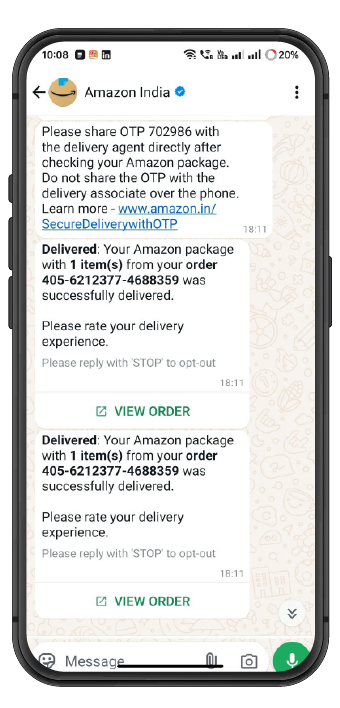
For e-commerce, WhatsApp OTPs confirm deliveries to the right person, reducing mix-ups and theft.
6. Extra security with 2FA
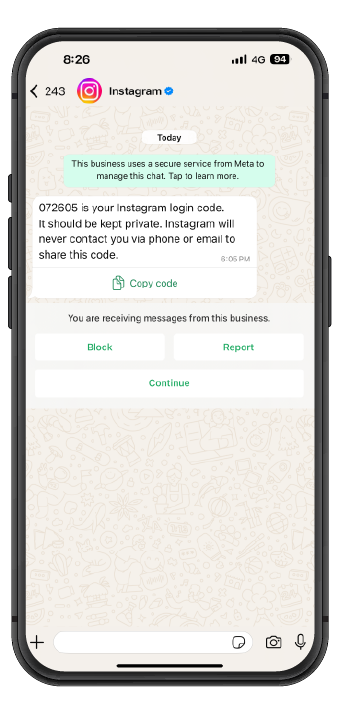
Use WhatsApp OTPs for two-factor authentication (2FA) to protect user accounts from unauthorized access.
7. Safer online payments
Add an extra layer of security by verifying transactions with WhatsApp OTPs to prevent fraud.
8. Faster account recovery
Locked out? WhatsApp OTPs speed up verification, so users regain access without delays.
WhatsApp OTP vs. SMS OTP: Which Is Better?
Choose WhatsApp OTP when you need rich templates, read receipts, and higher deliverability; choose SMS as a universal fallback for users without WhatsApp or as a backup.
Compliance And Security: What You Need to Know
Before sending any OTPs, you must adhere to WhatsApp's policies. This involves two key steps:
- User opt-in: You must receive explicit permission from users to send them messages on WhatsApp. This can be collected on your website during sign-up, in an app, or even via SMS.
- Template approval: All transactional messages, including OTPs, must be sent using pre-approved message templates. These templates are reviewed by WhatsApp to prevent spam. Your OTP template must clearly state its purpose and include a placeholder for the code.
Enhanced security features
Beyond end-to-end encryption, you should implement security best practices on your end. This includes setting a short Time-to-Live (TTL) for each OTP (e.g., 2-10 minutes), implementing rate limiting to prevent abuse, and securely handling user data according to privacy regulations.
How To Send WhatsApp OTP With MyOperator: A Step-by-Step Guide
- Create/Verify a WhatsApp Business Account (WABA): If you don't have one, set up a WABA through a Business Solution Provider (BSP) like MyOperator. This links your business identity to your phone number.
- Register a DID number with MyOperator: Purchase or port a Direct Inward Dialing (DID) number that will be used exclusively for your WhatsApp communication. This number will be your official business presence on WhatsApp.
- Connect your WhatsApp number in MyOperator: Log in to your MyOperator dashboard and navigate to the integrations section. Follow the guided steps to connect your verified WABA and DID number to our platform.
- Submit and get an OTP template approved: This is a crucial step. You must create and submit a message template for your OTPs. Here are some examples:
- Simple OTP: `Your verification code is {{1}}. This code is valid for {{2}} minutes.`
- Branded login: `Hi {{1}}, your login code for [Your Brand] is {{2}}. Do not share this with anyone.`
- Transaction OTP: `Your OTP for the transaction of INR {{1}} is {{2}}. Valid for 5 minutes.`
- Ensure your templates are free of promotional content and follow WhatsApp's guidelines.
- Trigger OTP via API or flows: Once your template is approved, you can send OTPs programmatically.
- Find more details in our API documentation.
- Validate and expire OTP: On your application's backend, validate the code entered by the user. Ensure the OTP expires after its defined validity period to maintain security.
- Monitor delivery and retries: Use MyOperator's dashboard to monitor message delivery status (Sent, Delivered, Read). Set up fallback logic to ensure users receive their code even if the WhatsApp message fails.
Implementing Fallback Logic And Troubleshooting
No system is 100% foolproof. It's essential to have a fallback mechanism. If a WhatsApp OTP is not delivered (e.g., the user doesn't have internet or isn't on WhatsApp), your system should automatically trigger an OTP via SMS. MyOperator can help you configure this multi-channel retry logic.
Common troubleshooting steps:
- Template rejected: Ensure your template has no promotional words, spelling errors, or floating variables. Resubmit with corrections.
- Message not delivered: Check if the user has opted in. Verify that the phone number is correct and active on WhatsApp. Check the MyOperator delivery logs for specific error codes.
- Blocked by user: If a user blocks your business number, you can no longer send them messages. Your system should note this and default to SMS.
Understanding WhatsApp OTP Pricing
WhatsApp uses a conversation-based pricing model. An "Authentication" conversation is initiated when you send an OTP template message. This opens a 24-hour window where all subsequent messages in that conversation are included in the initial fee. Authentication conversations are typically priced lower than marketing or utility conversations. For a detailed breakdown, please visit our pricing page.
Ready To Take Action?
When every second of delay risks losing a customer’s trust, sticking to SMS isn’t just outdated, it’s costly.
WhatsApp OTP brings speed, security, and assurance right into the apps your users already trust. With MyOperator, switching isn’t complex; it’s seamless, secure, and built to protect every login, payment, and interaction.
You’re not just verifying users, you’re earning their confidence, one message at a time.
Make the smarter move today. Let MyOperator power your trust.
Join for the blogs and insights


.avif)



.webp)


