
How to Send Bulk WhatsApp Messages Without Getting Banned?
Want to send bulk WhatsApp messages without getting banned? Learn the expert steps for safety, compliance, and using the official WhatsApp API.

Updated On :
February 11, 2026

Did you know that WhatsApp banned 8,458,000 users in India in 2024? A WhatsApp ban can set your business back and throw your marketing off track.
For a long time, many businesses used bulk messaging on WhatsApp indiscriminately. Yes, WhatsApp is a great tool to engage your audience.
However, bulk messaging on WhatsApp comes with risks. As you see, Meta bans thousands of users daily due to policy violations.
Here’s the twist. You can avoid being banned while maximizing WhatsApp’s potential. Want to know how? This blog will show you the best way to send bulk WhatsApp messages without a ban.
Key WhatsApp Messaging Statistics
- 97% of WhatsApp messages are opened within 15 minutes of delivery
- Bulk messages often face 30% higher ban risks due to spamming complaints.
- Personalized messages see up to 45% higher engagement rates than generic ones.
- Companies using WhatsApp for customer service have achieved a 20% boost in customer satisfaction.
- WhatsApp’s automation can cut customer response time by 60% on average.
Let’s dive in and explore how to send bulk WhatsApp messages without a ban safely, effectively, and legally.
Why WhatsApp Bans Business Accounts?
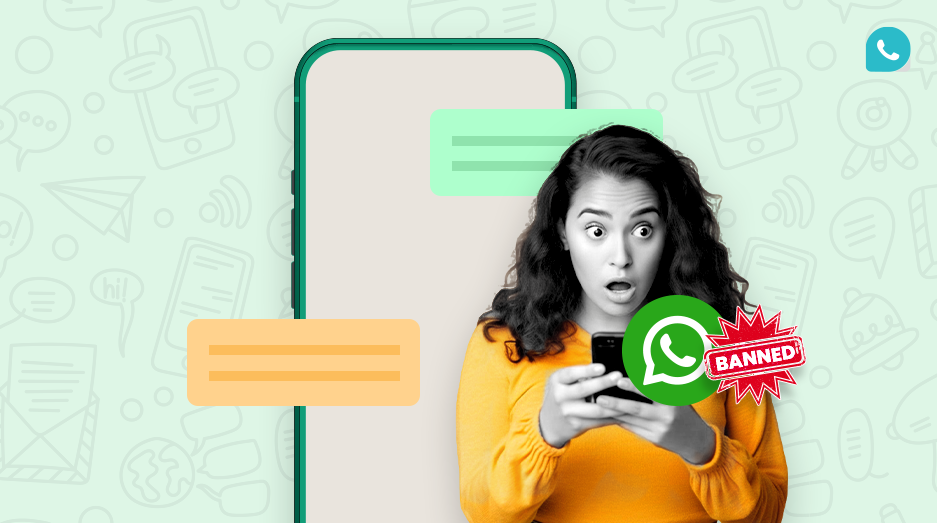
WhatsApp bans accounts to maintain a safe and trustworthy environment for its users. Here are common reasons why your WhatsApp Business account gets banned.
- Sending Spam or Unsolicited Messages: Sending identical or unpersonalized messages to multiple recipients can be flagged as spam. For example, sending the same promotional message to numerous users without their consent may lead to a ban.
- Using Unauthorized Third-Party Apps: Utilizing unofficial versions of WhatsApp, such as GB WhatsApp or WhatsApp Plus, violates WhatsApp’s terms of service and can result in a ban. These apps often lack proper security measures, making accounts more susceptible to bans.
- Engaging in Illegal Activities or Sharing Inappropriate Content: Participating in activities like spreading misinformation, hate speech, or sharing obscene content is against WhatsApp’s policies and can lead to account suspension.
- Receiving Multiple Blocks or Reports: If several users block or report your account within a short period, WhatsApp may interpret this as abusive behavior, leading to a ban.
- Sending Messages to Invalid or Non-WhatsApp Numbers: Attempting to message invalid or non-existent numbers can trigger WhatsApp’s spam detection system, resulting in a ban.
- High Volume Messaging in a Short Time: Sending a large number of messages rapidly can be seen as spamming behavior, prompting WhatsApp to ban the account to prevent potential misuse.
WhatsApp Business App vs. WhatsApp API: What to Choose
What Are the Limitations of WhatsApp Bulk Messaging?
WhatsApp has strict policies to prevent spam and misuse. If you’re planning WhatsApp Campaigns or bulk messaging, here are the primary limitations to keep in mind.
The WhatsApp Business Platform uses a tiered system to manage the number of unique contacts a business can message in 24 hours. You automatically advance to the next tier based on volume and quality rating.
For the most current information, always refer to Meta's official documentation on messaging limits.
How to Send Bulk WhatsApp Messages Safely

Follow these rules to keep your account safe and your audience engaged. This and to escape from Meta’s frequency capping.
1. Use the official WhatsApp Business Platform (API)
Your first step is to use an official solution. Collaborate with a META-trusted Business Solution Provider (BSP) like MyOperator to ensure you stay compliant with WhatsApp’s policies.
2. Take consent from customers
Always get permission before messaging. Unsolicited messages often lead to complaints.
Example Consent Message: "Hi [Name], thanks for signing up on our website! Would you like to receive order updates and special offers from [Your Company] on WhatsApp? Reply YES to opt-in."
3. Limit the number of messages
Don’t bombard your audience. Stick to a manageable number to avoid being flagged as spam.
4. Give opt-out options
Make it easy for customers to unsubscribe. A clear opt-out option reduces complaints.
Example Opt-Out Flow: Include "Reply STOP to unsubscribe" in your messages. Automate your system to immediately add users who reply "STOP" to a do-not-contact list and confirm their unsubscription.
5. Send relevant messages only
Keep your messages informative and tailored to your audience’s needs. Irrelevant content leads to spam reports.
Example Promotional Template: "Hi [Name], great news! The [Product Name] you were interested in is now 20% off for a limited time. Shop now: [Link]. Reply STOP to unsubscribe."
6. Monitor your quality rating
WhatsApp assigns a quality rating (High, Medium, Low) to business accounts. Frequent spam complaints can lower your rating, leading to restrictions. Track and improve this regularly.
A "Low" rating (red) can result in your account status changing to "Flagged," and if it does not improve in 7 days, your messaging limits will be reduced. You can monitor this in your WhatsApp Business Manager.
7. Use group chats wisely
Spamming group chats can lead to multiple reports. Use groups for genuine discussions and avoid adding users without permission.
Using the WhatsApp API Business Platform can greatly enhance your customer communication, but navigating it effectively is crucial to avoid the risk of having your account banned.
That’s where MyOperator comes in as a Meta Partnered platform. We provide you with the perfect guidelines to ensure you’re not inadvertently violating WhatsApp’s policies.
Your Compliance Checklist
Use this checklist to ensure every campaign is safe and effective.
- Obtain explicit, documented opt-in consent from every user before messaging them.
- Use the official WhatsApp Business Platform (API) through a verified Meta Partner.r
- Ensure all message templates are pre-approved by Meta
- Provide a clear and easy one-step opt-out option (e.g., reply STOP) in your messages
- Regularly monitor your phone number's quality rating in WhatsApp Business Manager
- Segment your audience and send personalized, high-value content
- Start with a small volume of messages and gradually ramp up as your quality rating improves
- Never send content that violates WhatsApp’s Commerce or Business Policies
Join for the blogs and insights

.avif)



.webp)


