
How To Generate WhatsApp Links Easily in 2025?
How to Generate WhatsApp Links and QR code easily to share your WhatsApp number in social media and your business communications
.png)
Updated On :
February 11, 2026
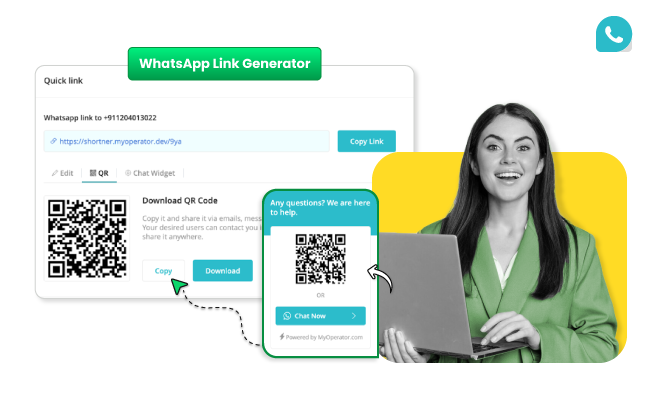

Did you know that businesses using WhatsApp links for customer interactions see a 27% higher conversion rate?
Furthermore, 80% of businesses report that WhatsApp links have drastically simplified their lead-generation process. Let’s dive in to explore its benefits, features, and how to set it up for your business.
Why use WhatsApp Link Generator for your Business?
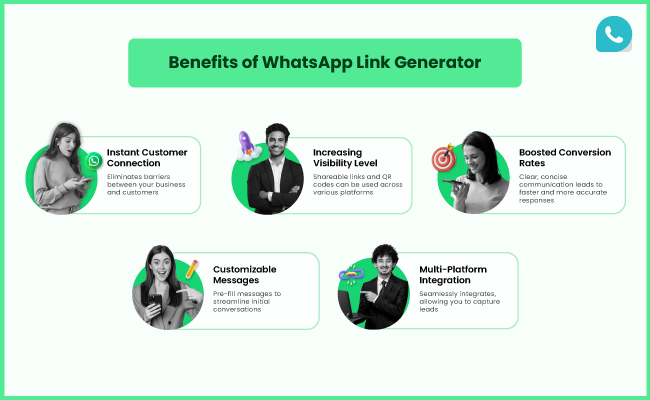
There are numerous WhatsApp features that help businesses, but the WhatsApp Link Generator is unique. Have a look at the benefits of WhatsApp Link Generator to have a clear vision of it.
- Instant Customer Connection: A WhatsApp link eliminates barriers between your business and customers by providing a direct line of communication. No need for lengthy forms—customers can reach out with a single click.
- Increased Visibility: Shareable links and QR codes can be used across various platforms, including social media, websites, email and WhatsApp campaigns, and print materials, ensuring maximum reach.
- Boosted Conversion Rates: Simplified communication leads to faster responses, enhancing customer satisfaction and boosting sales.
- Customizable Messages: Pre-fill messages in your WhatsApp links to streamline initial conversations, making interactions smoother and more effective.
- Multi-Platform Integration: From social media to websites, the WhatsApp link seamlessly integrates, allowing you to capture leads from every corner of the digital world.
How To Generate WhatsApp Links With MyOperator?
Setting up the WhatsApp Link Generator in MyOperator is quick and straightforward. Just follow these simple steps:
Step 1: Access the Link Generator
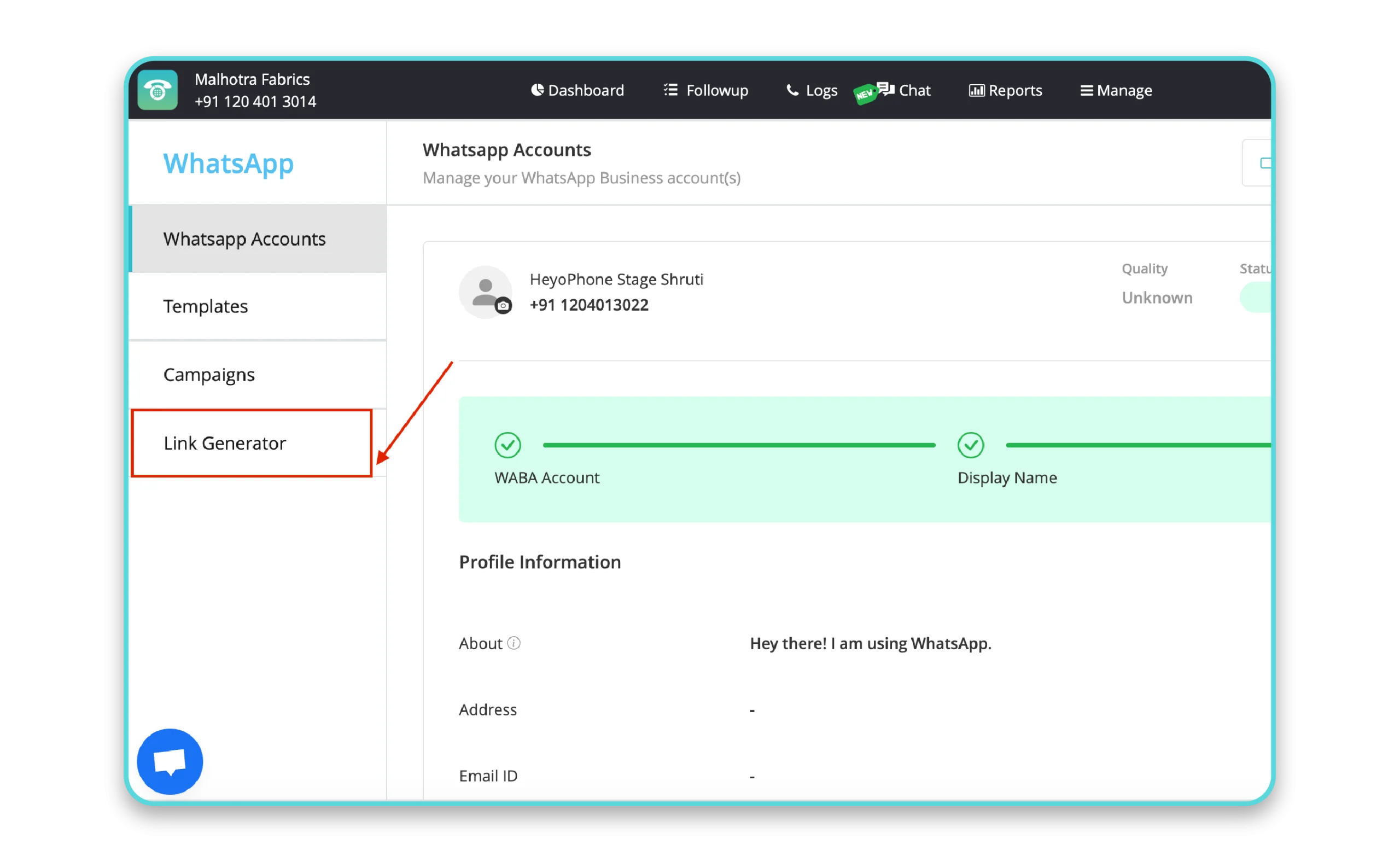
- Log in to your MyOperator dashboard.
- Navigate to Manage → WhatsApp → Link Generator to access the feature.
Step 2: Choose a Number
- Use the dropdown menu to select the number (DID) connected to WhatsApp.
- Each number can have a unique link for better tracking and customization.
Step 3: Generate a Quick Link
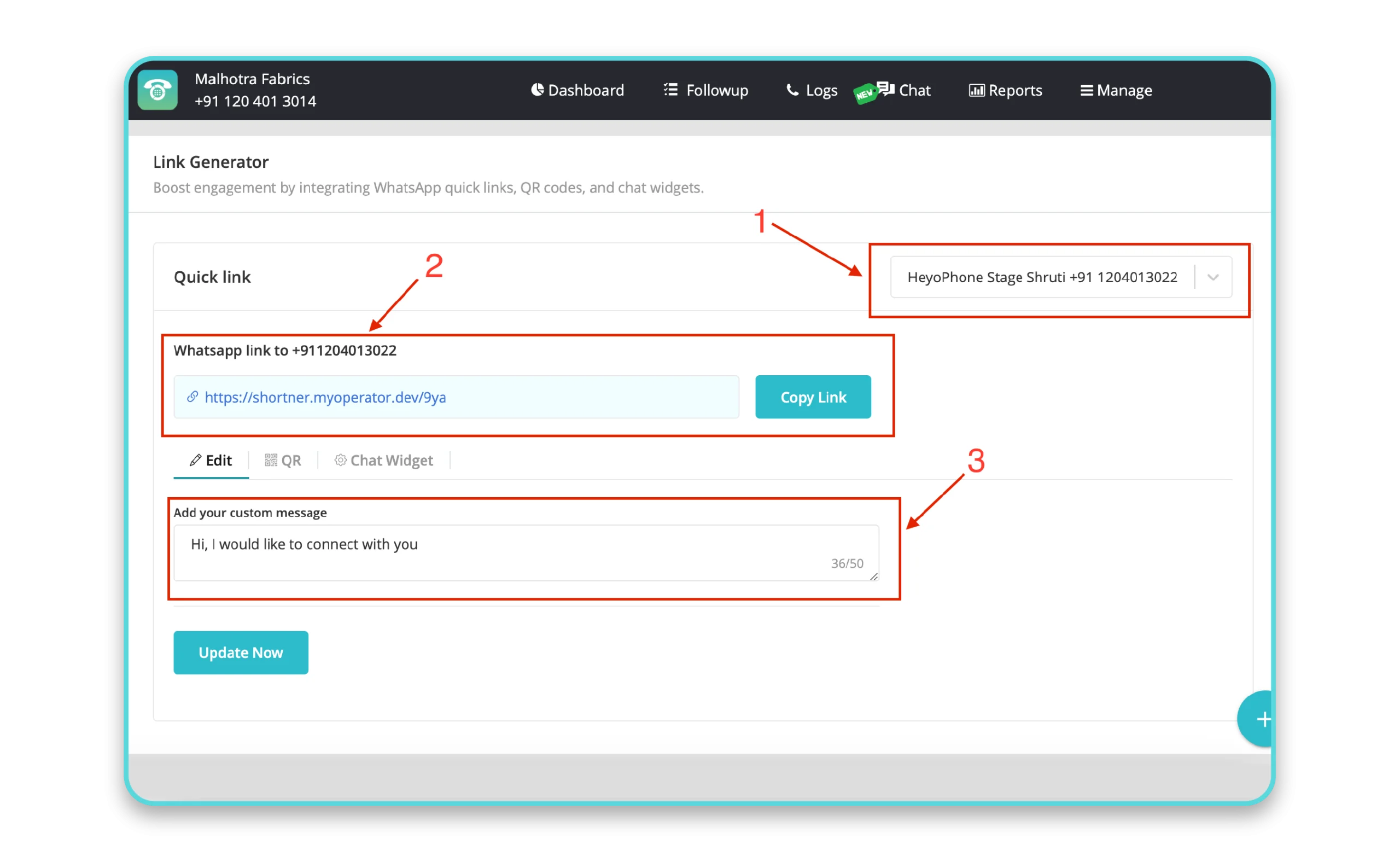
- Create a short URL link to the selected WhatsApp profile.
- When users click this link, they’ll be redirected to WhatsApp with your business profile open.
- Customize the prefilled message to guide conversations seamlessly.
Step 4: Download a QR Code
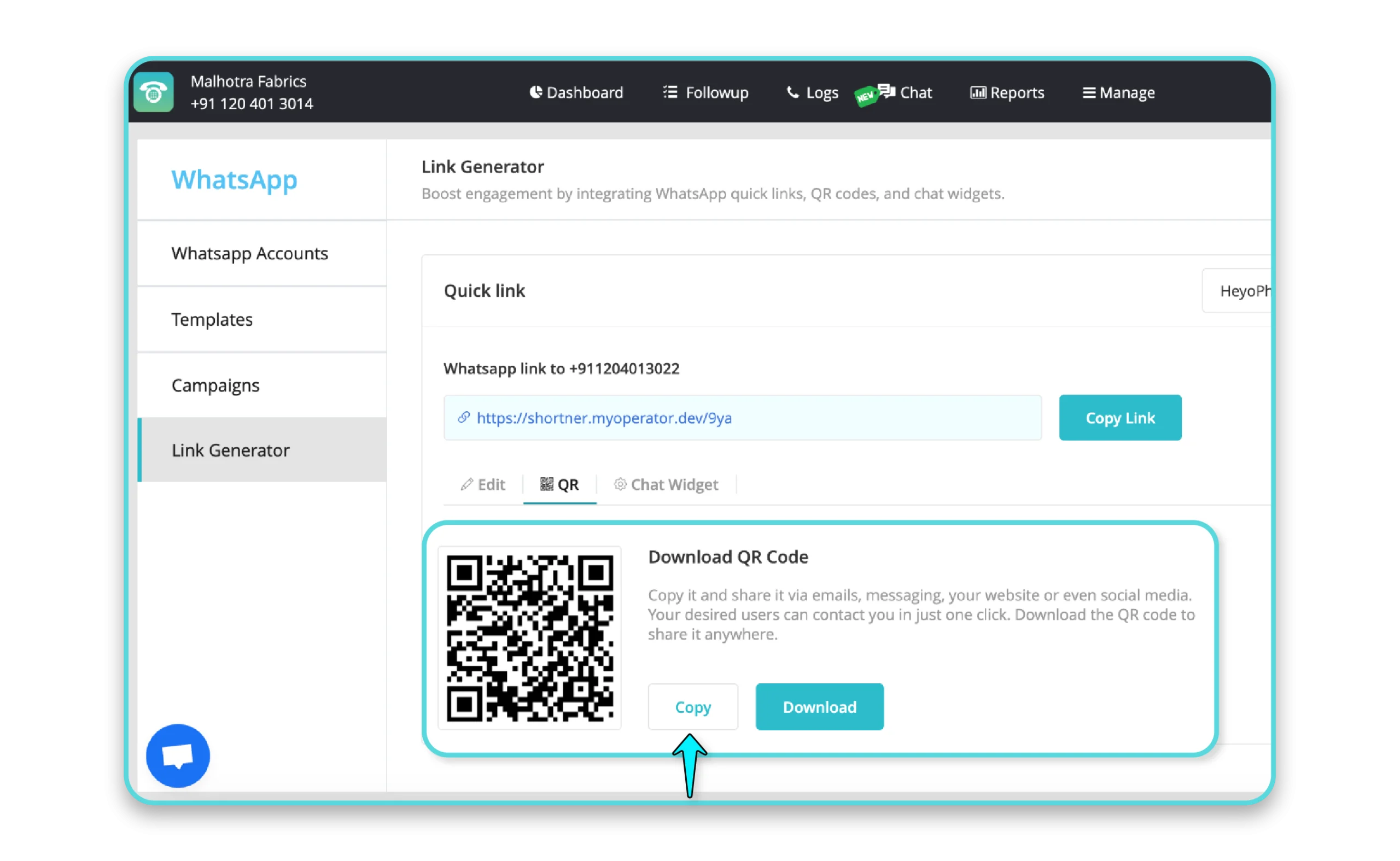
Go to the QR Code tab to generate a scannable code linked to your WhatsApp profile.
Download the QR code and use it on:
- Flyers
- Posters
- Product packaging
- Business cards
Step 5: Set Up a Chat Widget
kjlijpojpojpilkmli
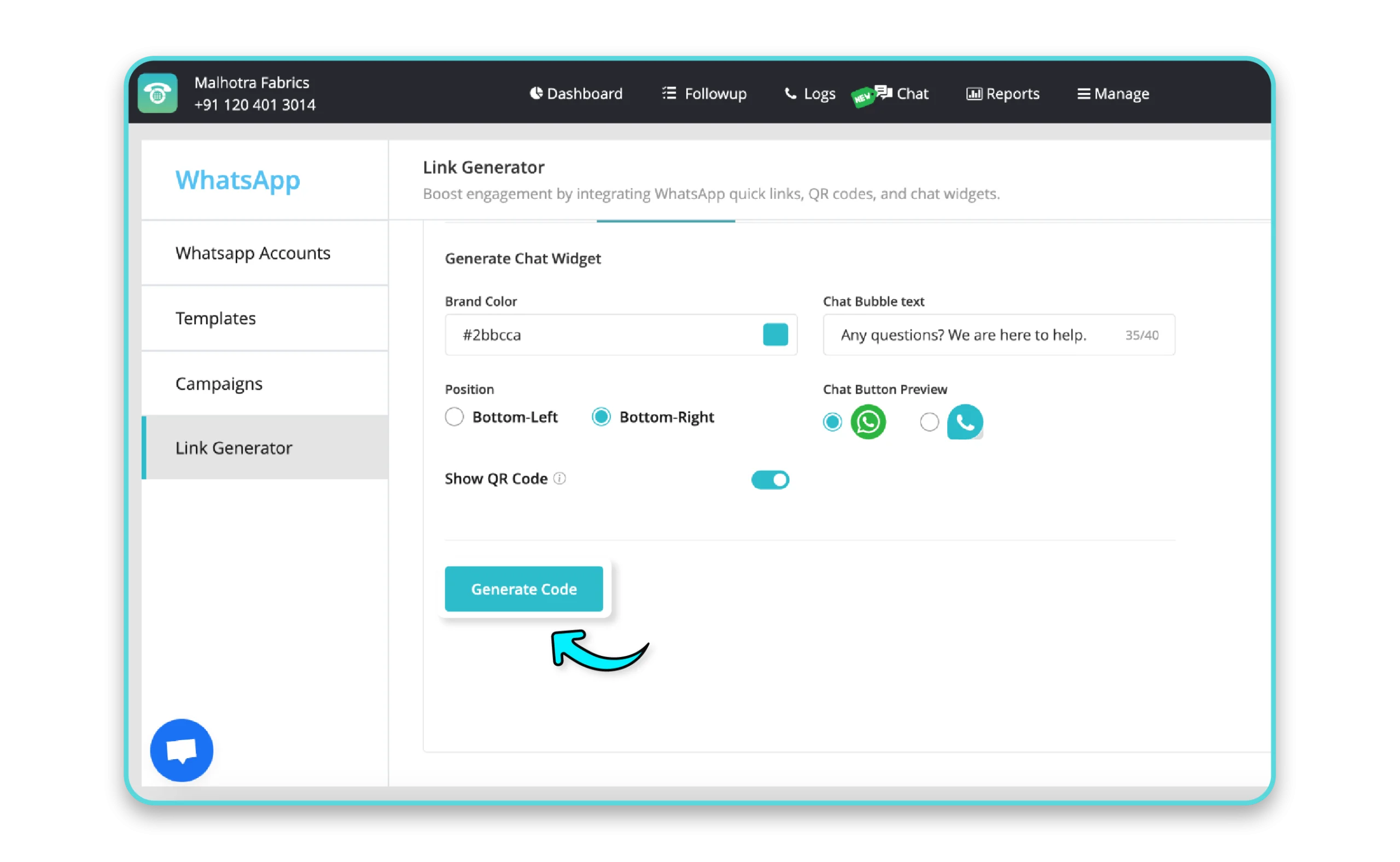
Head to the Chat Widget tab to create a WhatsApp chat icon for your website.
Customize design options, including:
- Colors that match your brand.
- Placement of the icon on your site.
- Displaying a QR code within the widget.
Copy and paste the widget code into your website backend to enable the feature.
WhatsApp Link Generator Highlights
WhatsApp Link Generator steps in to build bridges with their audience through customized, shareable links. Let's have a look at its highlights.
1. Quick Link Creation
- Generate a short, shareable WhatsApp link with a pre-filled default message.
- Create unique links for multiple WhatsApp Business Accounts (WABA).
2. QR Code Generator
- Downloadable QR codes link directly to your WhatsApp profile.
- Perfect for use in printed marketing materials like flyers, posters, or brochures.
3. Chat Widget for Websites
- Add a customizable WhatsApp chat widget to your website.
- Adjust design elements, such as colors and icon placement, to match your branding.
- Display QR codes directly within the widget for added convenience.
4. Custom Messages
Include pre-filled messages in your links to guide conversations effectively.
5. Omni-Channel Sharing
Share your WhatsApp links effortlessly across digital and offline platforms.
Whether you’re running social media campaigns, enhancing your website, or driving engagement through print media, MyOperator’s WhatsApp Link Generator provides a seamless experience for businesses and customers alike.
So why wait? Take the first step toward effortless communication today by setting up your WhatsApp Link Generator with MyOperator!
Join for the blogs and insights

.avif)



.webp)


