
How Can Sticky Agent Boost Your Sales & Support Efficiency?
Improve customer experience & conversions with myoperator Sticky Agent! Reduce call repetition & enhance efficiency for your sales & support

Updated On :
February 11, 2026
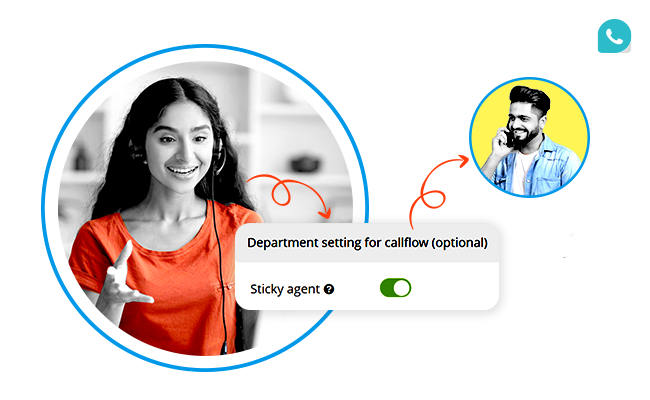

Did you know that 72% of customers expect agents to know who they are and what they previously discussed, yet a whopping 56% of callers have to repeat themselves every time they contact a business
The result? Frustrated customers, sluggish resolutions, and a serious dent in brand loyalty.
https://youtube.com/shorts/2QHVjpMhlrM?si=Gm-Uc95tqFvtBKrp
Now, here’s the kicker, companies that personalize customer interactions can boost customer satisfaction by up to 60%. This is exactly where Sticky Agent steps in to help businesses handle inbound calls. Forget about those robotic, impersonal call transfers, with Sticky Agent, customers feel like VIPs every time they dial your number.
What Is a Sticky Agent?
A Sticky Agent is a smart call routing feature in MyOperator that ensures a returning caller gets connected to the same agent they spoke with during their last call, within a set threshold of 15 days. This personalized continuity reduces the need for customers to repeat their queries, leading to faster resolutions and happier callers.
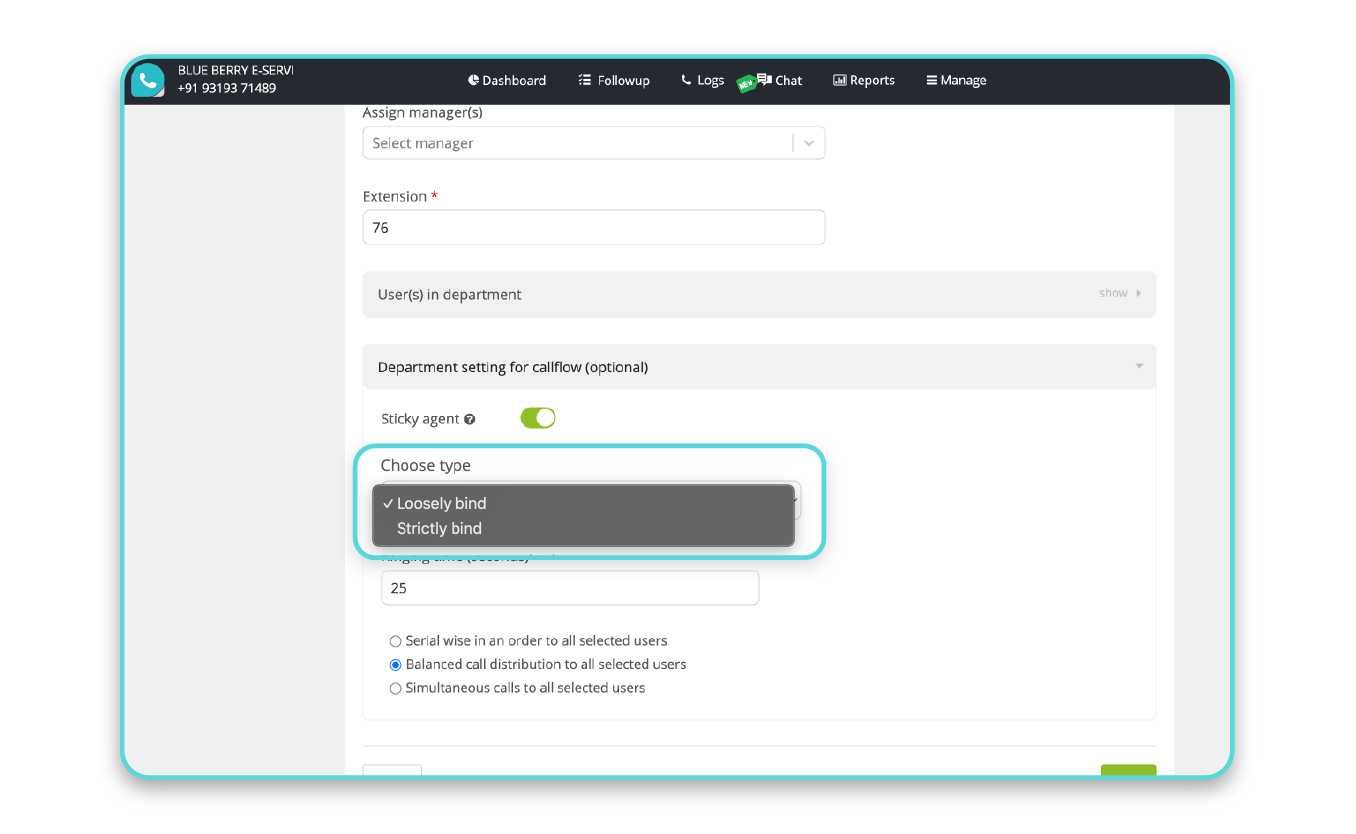
There are two types of Sticky Agents offered by MyOperator:
1. Strictly Bind Sticky Agent
- Calls from a specific customer are always routed to the same agent.
- If the agent is unavailable, the call disconnects rather than transferring to someone else.
- This ensures complete call continuity but may risk missed calls if the agent is unreachable.
2. Loosely Bind Sticky Agent
- Calls from a returning customer are first routed to the same agent.
- If the agent is unavailable, the call automatically gets transferred to the next available agent.
- This balances personalization with practicality, ensuring no call goes unanswered.
Sticky Agent vs. Traditional Call Routing: A Quick Comparison
Have a look at the comparison table below to know the key metrics of Sticky Agent over Traditional routing.
FeatureTraditional RoutingSticky AgentConsistent AgentNoYesCustomer RepetitionHighLowCase FamiliarityNoneHighResolution SpeedModerateFasterCustomer SatisfactionAverageHigher
How Do Sticky Agents Improve Customer Relationships?
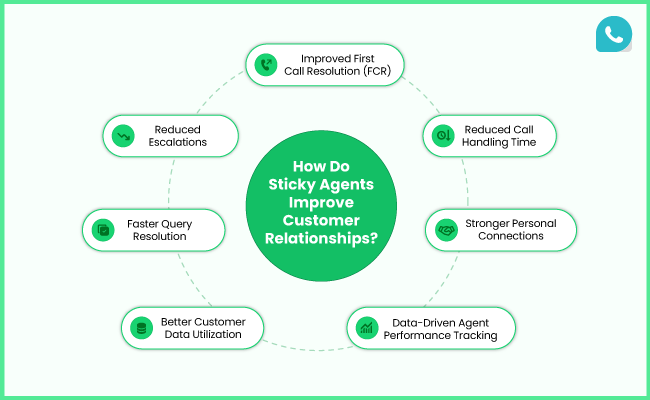
Let’s be honest, no one enjoys explaining the same issue twice. Myoperator solves this by ensuring call continuity and making customers feel heard and valued.
1. Faster Query Resolution
- Agents already know the context.
- Time spent re-explaining problems is eliminated.
- Resolutions are faster and more efficient.
2. Stronger Personal Connections
- Agents understand preferences and communication styles.
- Trust and familiarity boost customer satisfaction.
3. Better Customer Data Utilization
- Agents have access to previous call notes.
- Call histories and customer records create a personalized experience.
- Repeat callers feel like recognized customers, not just another ticket number.
4. Reduced Escalations
- With fewer handoffs, the chances of miscommunication drop.
- Agents work on issues from start to finish, improving accountability.
- Customers know exactly who to ask for if follow-ups are needed.
5. Reduced Call Handling Time
- Since agents already know the backstory, they skip repetitive questions and jump straight to solutions.
- This shrinks average handling time (AHT), a crucial metric for contact centers.
6. Improved First Call Resolution (FCR)
With better context, agents resolve issues in the first call itself, significantly improving FCR rates.
7. Data-Driven Agent Performance Tracking
- Managers get insights into agent-customer interactions.
- Personalized metrics like repeat caller resolution rates can be tracked.
- This helps optimize agent training and performance reviews.
How to Enable a Sticky Agent?
Enabling Sticky Agent in MyOperator is quick and hassle-free. Here’s a step-by-step guide:
Step 1: Visit MyOperator Dashboard and enter your credentials to log in.
Step 2: From the dashboard, click on the “Manage” tab at the top.
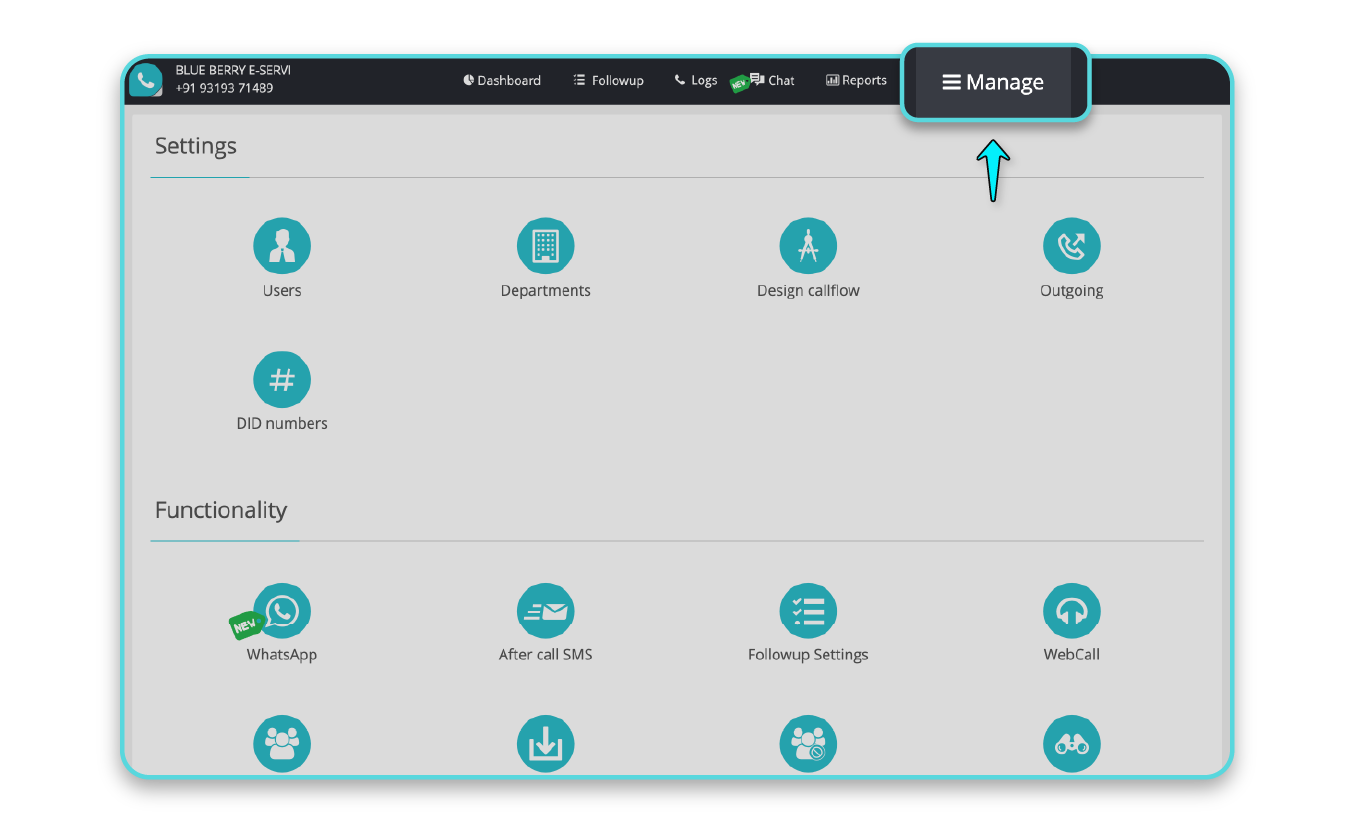
Step 3: Go to Settings and select Departments.
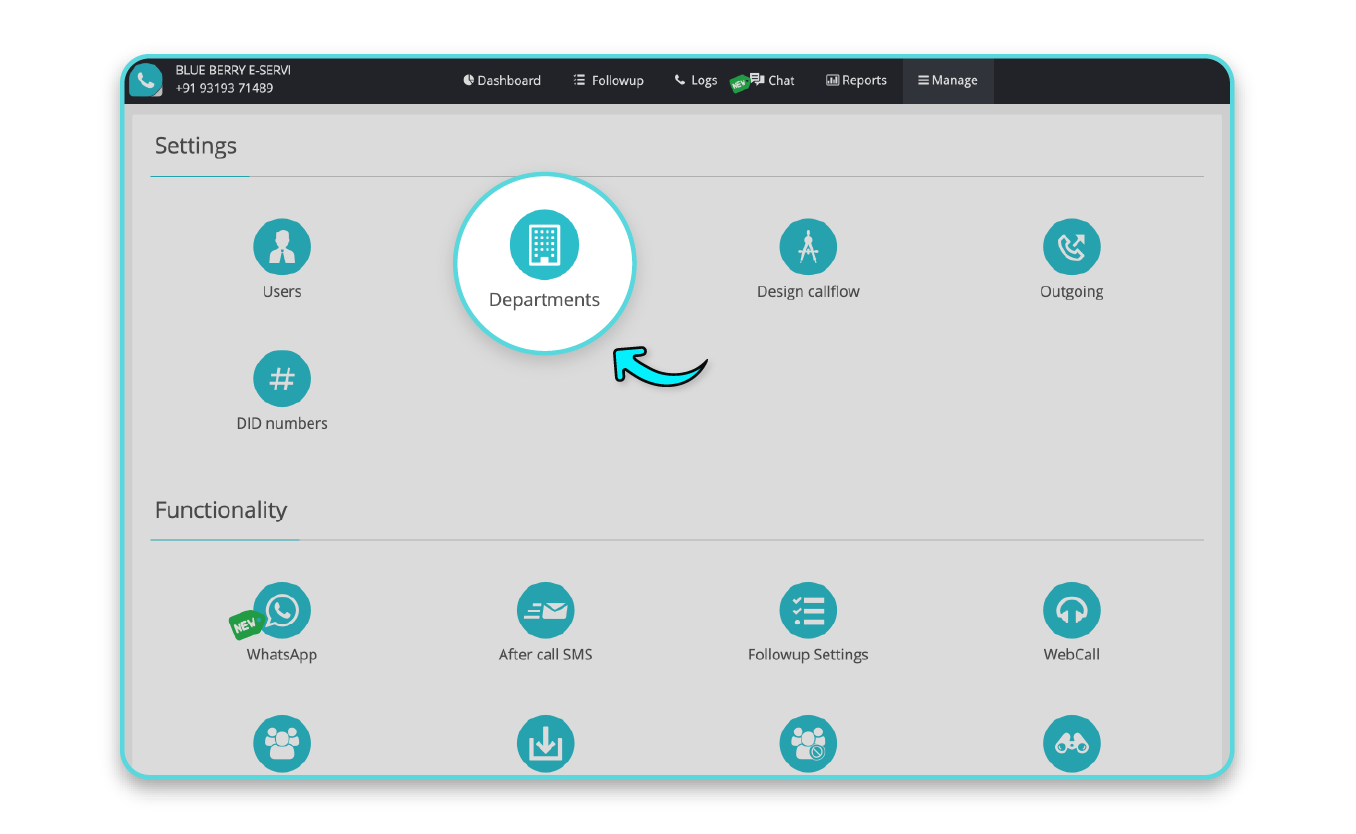
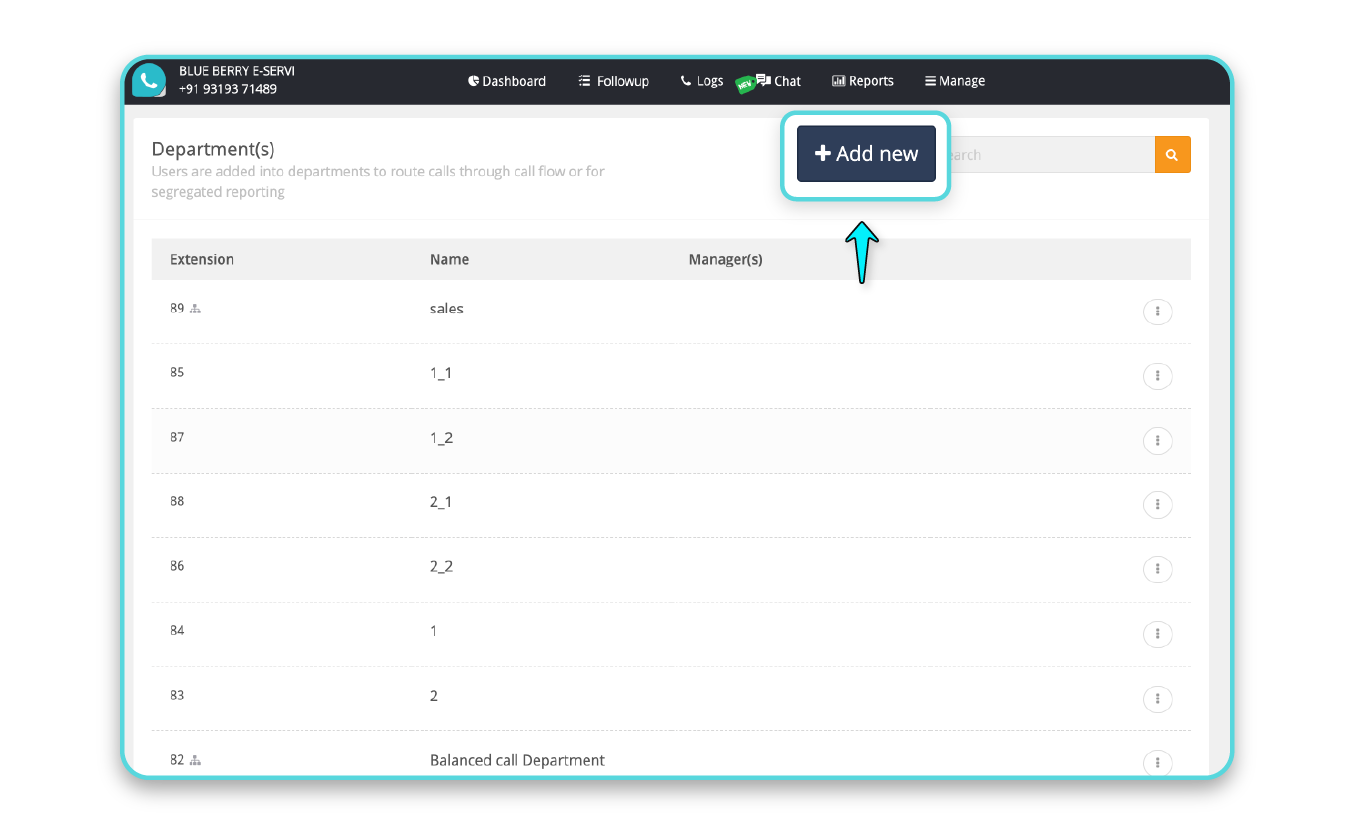
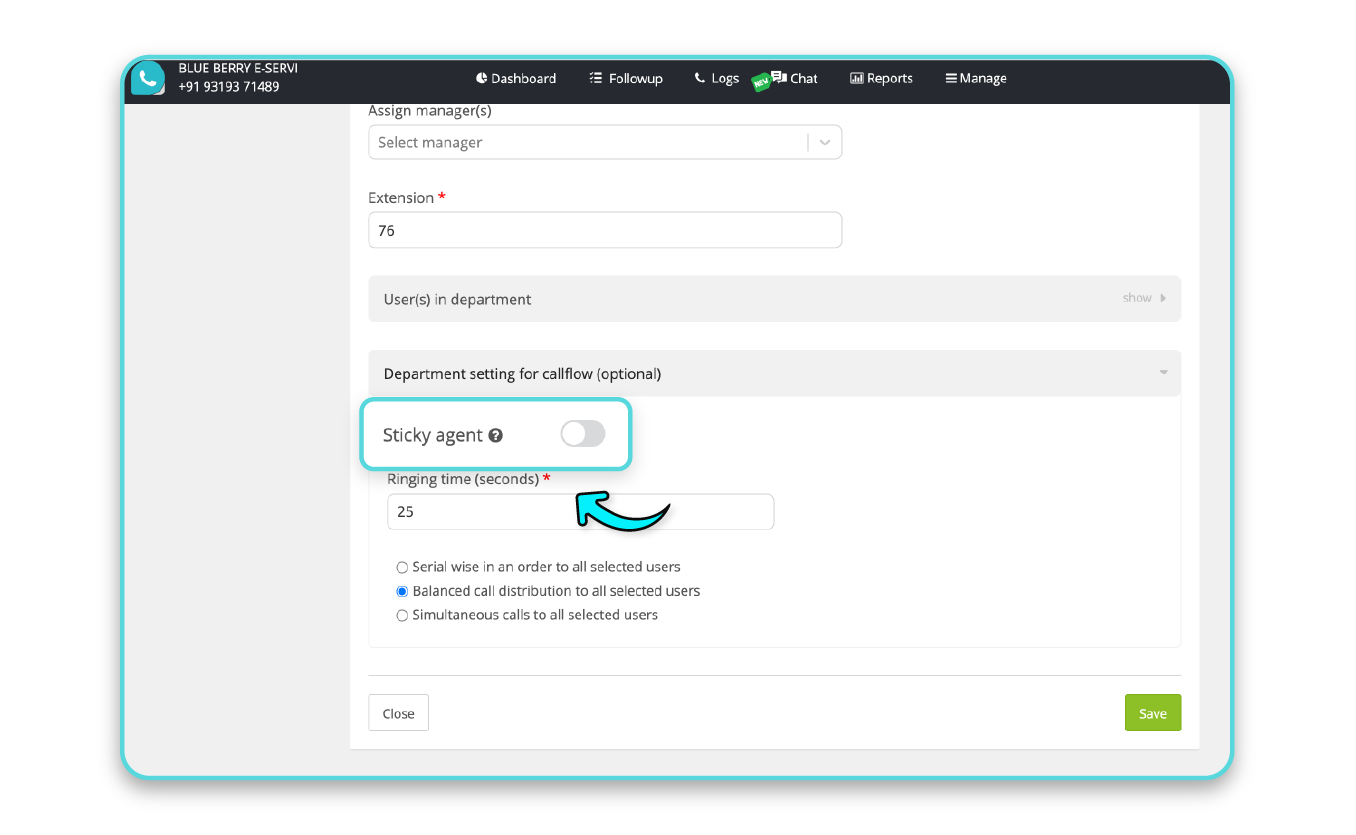
Step 5: Inside the department’s Call Flow Settings, toggle the Sticky Agent option.
Step 6: Select Strictly Bind or Loosely Bind, based on your preference.
Step 7: Hit Save, and you’re all set!
Sticky Agent is more than a feature and it’s a game-changer. By ensuring personalized, context-aware service, you’re not just resolving issues; you’re building relationships.
Ready to transform your call handling? Check out MyOperator’s Sticky Agent feature and see the difference for yourself.
Join for the blogs and insights



.avif)



.webp)


