
25+ Festival WhatsApp Templates to Boost Engagement
Start festive sales with 25+ ready WhatsApp templates for Diwali, Christmas & New Year. Learn to create, automate & send bulk festive campaigns with MyOperator

Updated On :
February 11, 2026


Festivals are a time of joy, celebration, and connection.
For businesses, it’s also the perfect opportunity to communicate with customers in a personalized and timely way.
WhatsApp, being one of the most widely used messaging platforms, offers a direct and intimate channel for businesses to send festive greetings, offers, and updates.
But how do you create effective festival WhatsApp templates that stand out? Discover deep insights on how you can leverage festival WhatsApp templates to engage your audience, boost sales, and enhance customer relationships.
What Are Festival WhatsApp Templates?
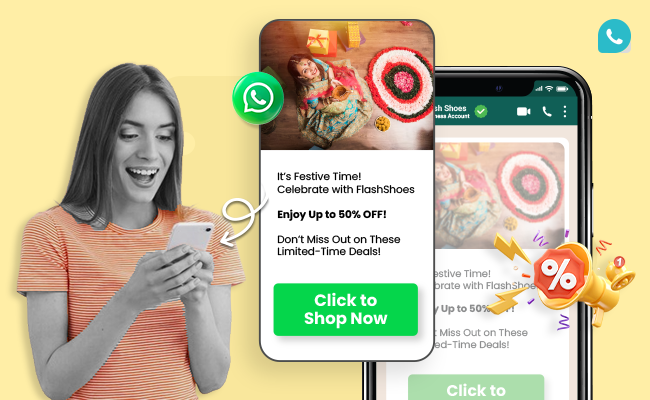
Festival WhatsApp templates are pre-designed messages that businesses can send to customers during festival seasons. These templates are often used to promote festival-specific offers, send greetings, or remind customers about upcoming events.
They’re an excellent way to automate communications in WhatsApp API while ensuring that your messages are timely, relevant, and engaging.
WhatsApp templates are especially powerful because they allow businesses to:
- Personalize messages with the customer’s name or past interactions
- Save time with automated bulk messaging
- Ensure consistency in communication
Whether it’s Diwali, Christmas, or the New Year, creating festival WhatsApp templates can help your business stay top of mind during busy festive seasons.
How to Create WhatsApp Festival Templates
Creating effective festival WhatsApp templates involves understanding your audience, the festival, and what kind of message will resonate with them. Here’s a simple process to follow.
Step 1: Start with personalization
Always include the recipient’s name to make the message feel personal. For example, “Hi {{Customer_Name}}, wishing you a Happy Diwali!”
Step 2: Incorporate festive elements
Use festive words, emojis, and visuals related to the festival. For Diwali, you might add diya emojis or fireworks.
Step 3: Include a call to action (CTA)
If you’re promoting an offer, ensure that the message ends with a clear CTA like “Shop Now,” “Claim Your Discount,” or “Visit Us Today!”
Step 4: Stay concise yet warm
Don’t overwhelm your customers with too much information. Keep it short but add a heartfelt touch.
Step 5: Ensure compliance with WhatsApp guidelines
WhatsApp has strict guidelines for template messages. Avoid overly promotional language in notification templates and stick to informative or greeting-style messages.
WhatsApp Template Compliance and Approval
To use WhatsApp templates, you must first get them approved by Meta. This process ensures messages are high-quality and adhere to the WhatsApp Business Policy.
The approval process workflow
- Template creation: Draft your message in your Business Manager or through a provider like MyOperator. Define the template name, category, language, and content.
- Submission: Submit the template for review. The content is checked against WhatsApp's guidelines.
- Review time: Approval can take anywhere from a few minutes to 24 hours. Plan your campaigns accordingly.
- Status updates: You will be notified if the template is approved or rejected.
Common rejection reasons
- Promotional content in utility templates: Using words like "sale," "discount," or "offer" in non-promotional categories
- Incorrect formatting: Using floating parameters (lines with just variables) or incorrect variable syntax like `{{1}}..`
- Requesting sensitive information: Asking for financial data, passwords, or other private details..ls
- Violating policies: Content related to prohibited industries or services
For detailed information, always refer to the official WhatsApp Template Guidelines.
Using Variables for Personalization
Variables, or placeholders, are critical for personalizing bulk messages. They allow you to insert customer-specific information, such as names, order numbers, or appointment dates, into a single template. This makes each message feel unique and relevant.
How variables work
Variables are represented by double curly braces with a number inside, like `{{1}}`, `{{2}}`, etc. When you send the message via the API, you provide the values for these variables.
Suggestion: Insert a simple 3-column table here showing: Template Syntax, Example Value, and Resulting Message. For example: | Syntax | Example Value | Result | |---|---|---| | `Hi {{1}}, your order {{2}} is confirmed.` | `{{1}}`: "Priya", `{{2}}`: "A-54321" | `Hi Priya, your order A-54321 is confirmed.` |
Automating Festive Messages: The Power of WhatsApp Business
WhatsApp Business offers a range of features designed to help businesses automate their communications, especially during busy times like festivals.
With WhatsApp Business API, you can send bulk messages, automate responses, and manage customer inquiries efficiently. Here’s how you can automate your festive messages:
- Create templates in advance: Plan your campaigns weeks ahead by designing festive templates and scheduling them for automatic sending.
- Segment your audience: Use customer data to segment your audience and send personalized messages based on purchase history, preferences, or location.
- Use chatbots: Deploy WhatsApp chatbots to handle customer queries during festivals. Whether it’s an inquiry about store hours, product availability, or tracking orders, chatbots can lighten your load during busy times.
- Schedule bulk messages: WhatsApp Business allows you to send bulk messages with pre-approved templates. You can schedule your festive messages to go out at the perfect time, ensuring they don’t get lost in the holiday rush.
Suggestion: Add a brief case study of an e-commerce brand that increased its Diwali sales by 35% using MyOperator's scheduled and personalized WhatsApp campaigns, highlighting a 95% open rate and a 20% click-through rate on their "Shop Now" CTA.
Festival Messages: Effective Tips
Festivals are about building connections, and sending heartfelt messages during these times can strengthen your bond with customers.
A simple festive greeting, even without an offer, can create a positive association with your brand. Using WhatsApp during festivals can increase the user experience and help businesses connect with customers.
Here are some effective ways to craft festival greetings:
- Keep it warm and personal: Avoid sounding too formal. Instead, use a friendly tone that matches the festive spirit.
- Show appreciation: Festivals are a great time to thank your customers for their loyalty throughout the year.
- Share a wish or blessing: Including a traditional festival wish adds authenticity to your message.
Festival WhatsApp Templates for Bulk Messaging
Using festival WhatsApp templates for bulk messaging is an efficient way to reach a large number of customers quickly. By sending the same message to multiple people at once, you save time while ensuring consistent communication.
Here’s how you can use bulk messaging effectively:
- Personalize with variables: Tools like WhatsApp Business API allow you to personalize each message, even when sending them in bulk. For example, you can include the recipient’s name, purchase history, or location.
- Segment your lists: Divide your audience into groups based on criteria like interests, purchase history, or demographics. This allows you to send more targeted messages that resonate better with each group.
- Track engagement: Use WhatsApp’s built-in analytics to track how many customers have opened your message or clicked on your links. This data can help you refine future campaigns.
By using templates in bulk messaging, you maintain a balance between efficiency and personalization, ensuring that your customers feel valued even when you’re automating.
25 WhatsApp Festival Templates Examples
Here’s a selection of ready-to-use festival WhatsApp templates that you can use to connect with your customers during festive seasons:
I. Generic festive-special templates
1. 🥳 It’s Festive Time! Celebrate with [Brand] and Enjoy Up to 50% OFF! Don’t Miss Out on These Limited-Time Deals!
**Click to Shop Now**
2. ✨ Festive Special: Buy 1 Get 1 FREE! Double the Joy with [Brand]’s Exclusive Offer. Limited Stock Available!
**Claim Your Offer Now**
3. 🤝 Let’s Celebrate Together! [Business Name] is offering a FREE consultation this festive season. Whether you need advice or support, we’ve got you covered! Book now and make the most of this special offer!
**Schedule Your Consultation**
4. 🚀 It’s Time to Shine! [Service] is offering personalized solutions to help your brand grow this festive season. Kickstart your journey with a FREE trial now!
**Claim Your Free Trial**
5. 🎁 Festive Gifting Made Easy! Reward your clients or employees with customized gift packages from [Business]. Get exclusive deals on bulk orders, perfect for spreading holiday cheer!
**Contact Us for Special Pricing**
Skyrocket your engagement with festival WhatsApp templates.
II. Dussehra special templates
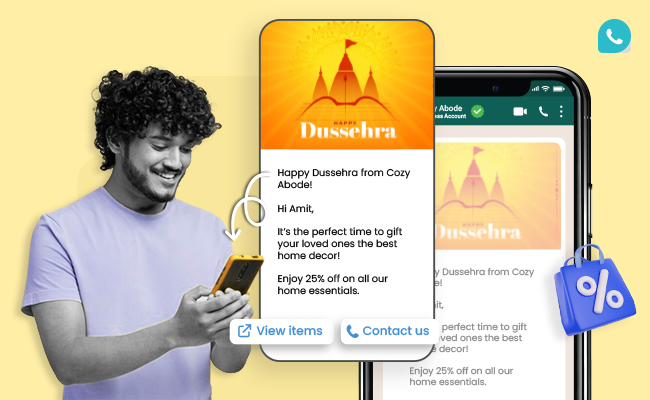
6. Happy Dussehra from [Brand Name]!
Hi [Customer Name],
It’s the perfect time to gift your loved ones the best in [Your products/services].
Enjoy 25% off on all our [Your USPs].
Shop now: [website link]
7. Happy Vijayadashami from [Brand Name]!
Dear [Customer Name],
Celebrate victory this Dussehra with our [Your Services/Products].
Get 30% off on your favorite [USPs],
Shop now: [website link]
8. Hi [Customer Name], Happy Dussehra from [Brand Name]!
This festive season, treat yourself to the best in [Your Services/Products].
Use code DUSS30 and enjoy exclusive discounts on our [Your USPs].
Shop now: [website link]
9. Hey [Customer Name]!
Wishing you a joyous Dussehra from [Brand Name].
The time has come to grab your favorite [Your Services/Products].
Check out our festival offers on [USPs].
Shop now: [website link]
10. Happy Dussehra from [Brand Name]!
Dear [Customer Name],
Don’t miss out on festive discounts on our [Your Services/Products].
Experience the joy of owning [USPs].
Shop now: [website link]
III. Diwali special templates
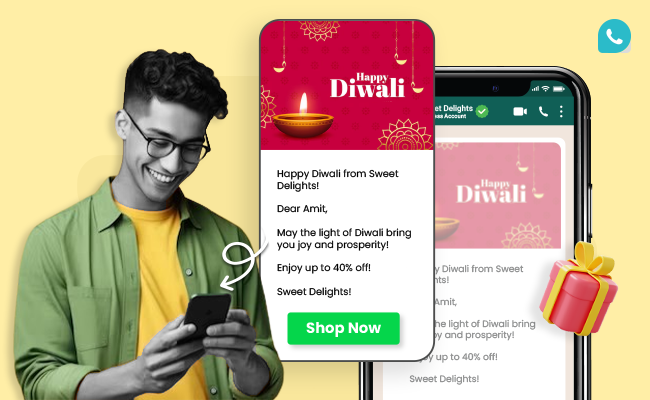
11. Happy Diwali from [Brand Name]!
Dear [Customer Name],
May the light of Diwali bring you joy and prosperity!
Enjoy up to 40% off!
[Brand Name]!
12. Hey [Customer Name]
Celebrate Diwali with [Brand Name] and enjoy exclusive deals.
Shop now at [website link].
13. Happy Diwali from [ Brand Name]
Hi [Customer Name]
Brighten your celebrations with amazing discounts.
Enjoy up to 50% Off,
Shop now at [website link].
14. Happy Diwali from [ Brand Name]
Dear [Customer Name]
Wishing you a sparkling Diwali!
Enjoy special offers on all purchases.
Shop now at [website link].
15. Hey [ Customer Name]
This Diwali, gift happiness with [Brand Name] exclusive discounts.
Use code DIWALI20
Shop now at [website link]
IV. Christmas special templates
16. Merry Christmas, [Customer Name]!
Enjoy 20% off on all items this festive season.
Shop now at [website link]
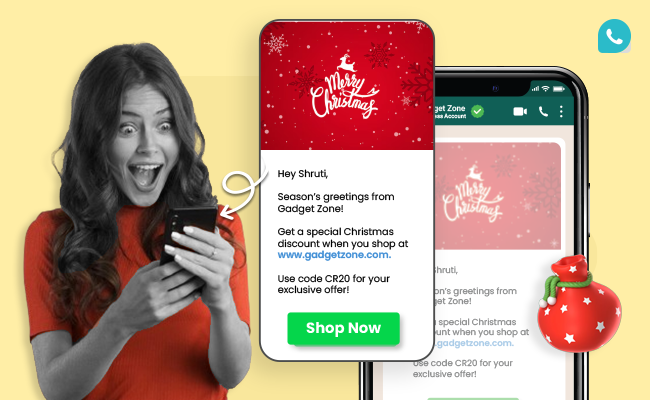
17. Hey [ Customer Name]
Season’s greetings! [Brand Name]
Get a special Christmas discount when you shop at [website link].
Use code CR20
Shop now at [website link]
18. Hi [Customer Name]
Celebrate the joy of Christmas with [Brand Name]!
Grab your special offer now.
Shop now at [website link]
19. Merry Christmas! [ Customer Name]
Get your holiday shopping done with [Brand Name ]'s limited-time offers.
Shop now at [website link]
20. Hi [ Customer Name]
Happy Holidays!
Treat yourself to exclusive Christmas deals.
Visit [website link] today!
V. New year special templates
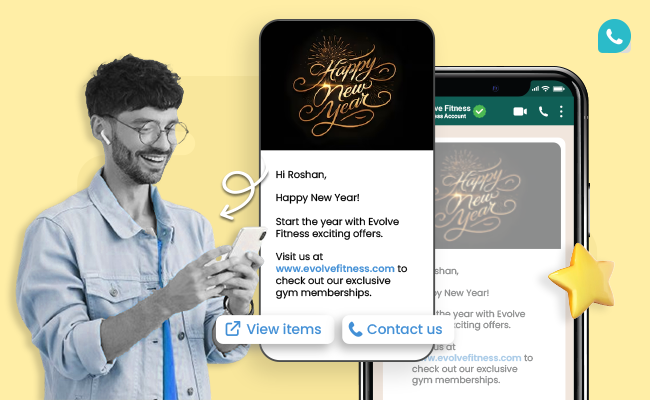
21. Hi [ Customer Name]
Happy New Year!
Start the year with [ Brand Name] 's exciting offers
Visit [ Website Link]
22. Hey [Customer Name]
Cheers to new beginnings!
Enjoy 25% off on all products this New Year
Shop Now at [Website Link]
23. Hi [ Customer Name]
Welcome 2024 with amazing discounts!
Shop now at [website link]
24. Hi [Customer Name]
New Year, new deals!
Don’t miss out on our exclusive offers from [Brand Name]
Shop Now at [Website Link]
25. Hey [Customer Name]
Wishing you a prosperous New Year! From [Brand Name]
Enjoy special discounts for a limited time.
Visit us [ Website Link]
Conclusion
Festival WhatsApp templates empower you to engage with customers, promote offers, and send greetings during festive seasons. By personalizing messages, automating bulk messaging, and using WhatsApp Business features, you can ensure that your communications are timely, relevant, and impactful.
So, whether it’s Diwali, Christmas, or New Year, make sure you’re connecting with your audience in the most effective way possible. Take command of your festive communication.
Leverage MyOperator's WhatsApp API to build, approve, and automate your campaigns at scale.
Join for the blogs and insights

.avif)



.webp)


