
How Click to Call solution makes business communication effortless
MyOperator Click to Call feature initiates the customer calls directly from the live panel. Learn more about click to call feature today!

Updated On :
February 11, 2026
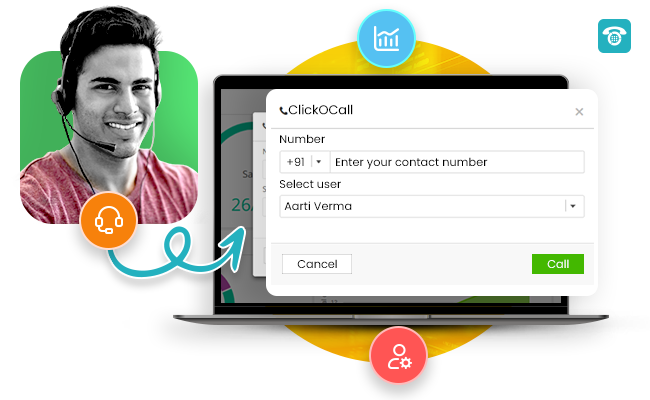

The advancement in the technology used by businesses is significant and extremely evident. Besides everything else, the way businesses have transformed their customer communication is notable and worthy of all appreciation.One of these advancing features is click-to-call.Now businesses not only makes it easy for their customers to connect with them on call in a click by publishing their clickable business toll-free number on their website and blog but also make it easy for their sales and support agents to call back customers with click-to-call facility.With the click-to-call feature, your agent can initiate the call directly from the live panel by just writing the contact number on the Click to Call and click the call button.Now, this might look like a bigger task as compared to dialling the number directly from the phone, but here’s what makes this feature worthy of the effort:
- All the outgoing calls done through this feature will be tracked.
- The customer-agent conversation will be recorded and stored on the cloud.
Well, this was just the tip of the iceberg, this blog talks further about the benefits of click to call.For now, precisely, this Click to call feature helps your business in simplifying your agent-to-customer communication process by making outgoing calls simpler, easier and less tedious. The system works around three simple yet essential features, the three Cs:
- Click,
- Call
What exactly is Click to Call solution?
MyOperator Click to Call is a type of an online calling solution in which your agent can initiate a call to the customer through click to call feature from the MyOperator panel. The agent will simply write the number on the screen and the call will be initiated, firstly on the agent’s phone and then on the customer’s number.In fact, the whole concept of click-to-call revolves around calls made to customers easily along with keeping an effective tab on the same.
- Handling a high number of business calls on a daily basis and manually calling each and every customer can be surely hectic. With click to call feature agents can connect with the customers by just writing the number and calling to the concerned customer.
- It enables agents in your organization to initiate customer calls instantly. Working on the need for assuring a smooth user experience, Click to Call avoids the hassle of simultaneously calling the customers offline.
- And for business owners or heads, it makes monitoring of customer calls and agent performance easier-than-ever.
How does the MyOperator click-to-call feature work?
Below mentioned are a few easy-to-follow steps to describe the working of Click to Call feature:
- Log in to MyOperator live web panel.
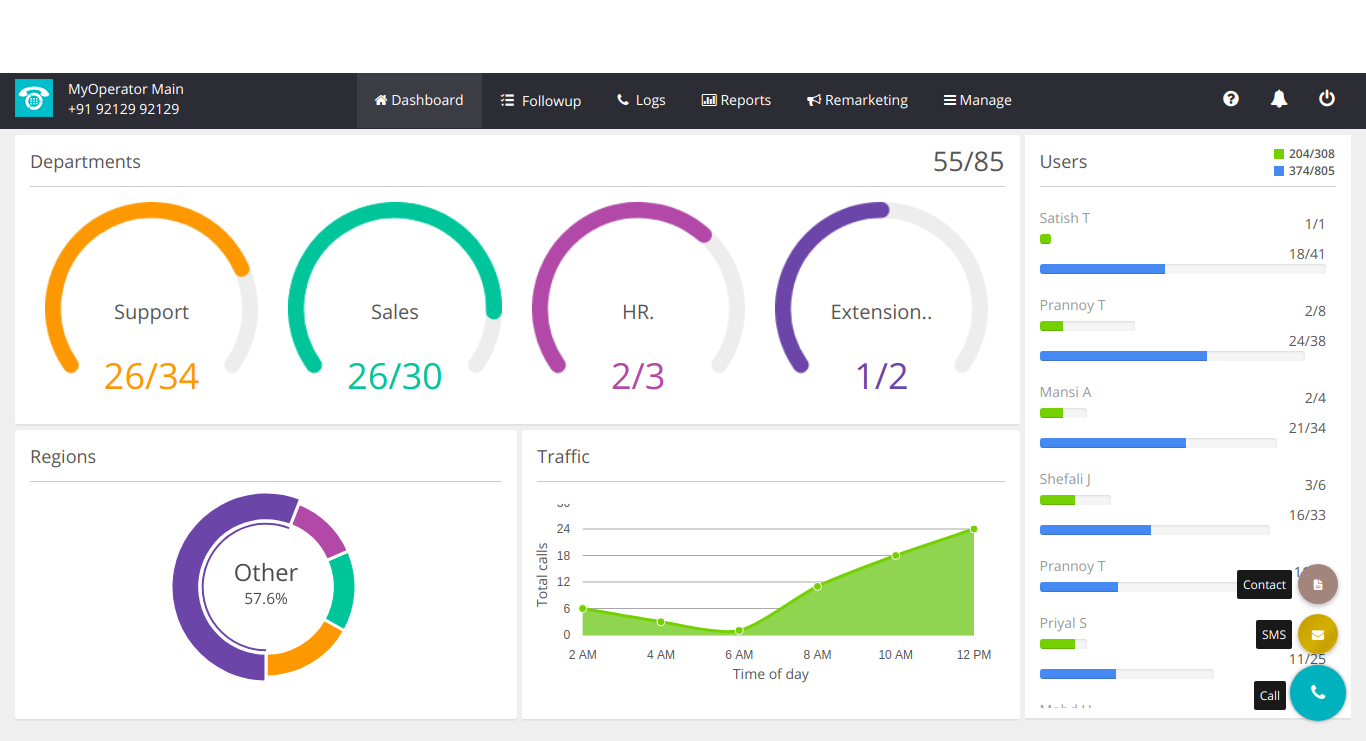
2. Click on a “+” icon at the bottom right and select Call option.
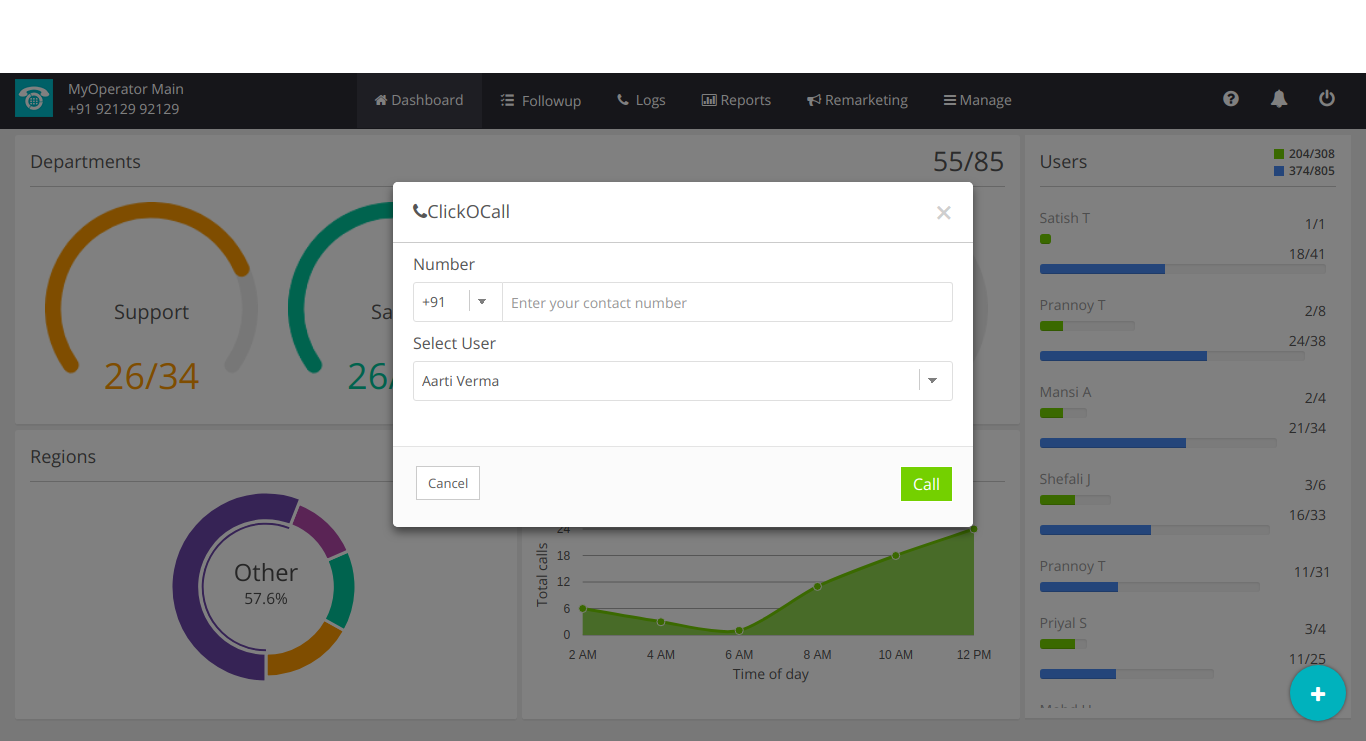
3. Type your customer’s contact number and select the user (on which the first call will be placed), and then finally click the call button.From here, the call will be redirected to the user’s virtual number and once they receive it, the call will be initiated on the customer’s number.In this mode of communication, both the agent and the customer won’t be able to see each other’s actual phone numbers. Their phone numbers will be masked behind a virtual one, ensuring the privacy on both ends
What are the benefits of the MyOperator click-to-call feature?
The features of this advanced calling solution are many, and the benefits are more:
- Call Tracking with Click to Call.
Click to call feature helps you in tracking and recording your customer calls. Calls that have been initiated with this feature are tracked efficiently and recordings are stored in real-time. It saves users time and brings business efficiency, as the user can easily place and monitor their calls.
- Call Recording With Click to Call.
Call recording is the most prominent feature that comes along with Click to Call feature. Just like call tracking, with click to call you can easily record your ongoing calls. After initiating the calls to the concerned number, Click to call feature enables to record the calls so that you can easily keep track of your business communication.
- Call Masking
With Click to call feature, you can mask your outgoing calls behind a virtual number. Call masking feature allows you to place calls ensuring your privacy as your real phone number will not be shown on another end.
- Quick Follow-Ups
Click to call facilitates your agents to ensure timely follow-up on the unattended calls. It makes it easier for agents to place customer calls easily. Agents can quickly tap on the customer list and see the list of unattended calls and call them back as per your suitability.With no doubts, features like Click O’Call add many benefits to your everyday business communication. This simple yet effective feature enhances the way we place the calls through a live panel. It’s easy to use, less tedious and effective. Call recording and call tracking are the two important features that you can avail on time while simultaneously placing the call to your customers. We at MyOperator an IVR service provider value your privacy. Click O’Call supports call masking feature which helps caller identity to be masked while placing the calls to the customers. The call masking feature is certainly unique when it comes to having a business identity with your professional virtual number. It will definitely enhance your business brand image where you can call your customers with your business virtual number.
- CRM integration with Click to Call
When utilized as a CRM integration feature with contact centers, MyOperator click to call offers immediate assistance and increases the productivity of your customer care representatives.The objective of a CRM, or customer relationship management system, is to enhance customer relations. You are placed in the best possible situation to make choices that will maximize the effectiveness of your company's contacts with consumers due to acquired and aggregated data that has been displayed neatly in automated charts and diagrams.To quickly reach consumers and resolve their complaints, contact center agents rely on the efficiency of the click-to-call capability within a platform or CRM solution. Additionally, by doing this, the customer engagement rating rises, thus helping the brand.Happay received a seamless communication solution from MyOperator that combined transaction APIs, missed calls, WhatsApp API and messaging services. With the aid of the click-to-call function, MyOperator has provided further benefits to Happay in terms of enhancing customer engagement and employee efficiency.So to say, Click to call is a feature that comes with multiple solutions. Start your 3-day demo with MyOperator a leading cloud call center and avail this innovative feature for your business communication.

Join for the blogs and insights


.avif)



.webp)


